Installation Procedure
- Install the ignition switch (3) into the lock module (1).
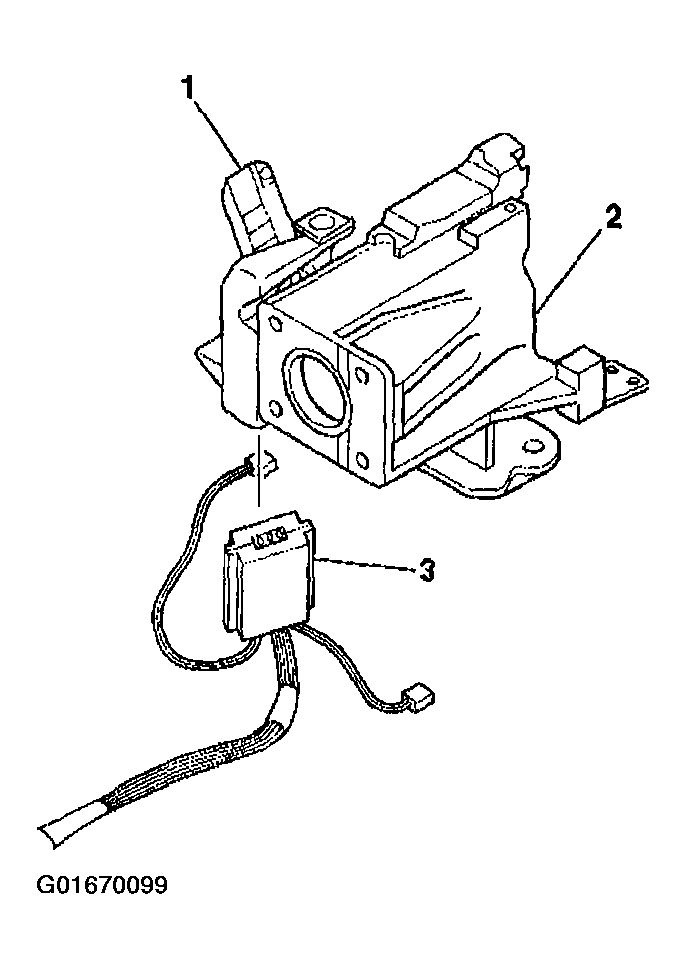 Courtesy of GENERAL MOTORS CORP.
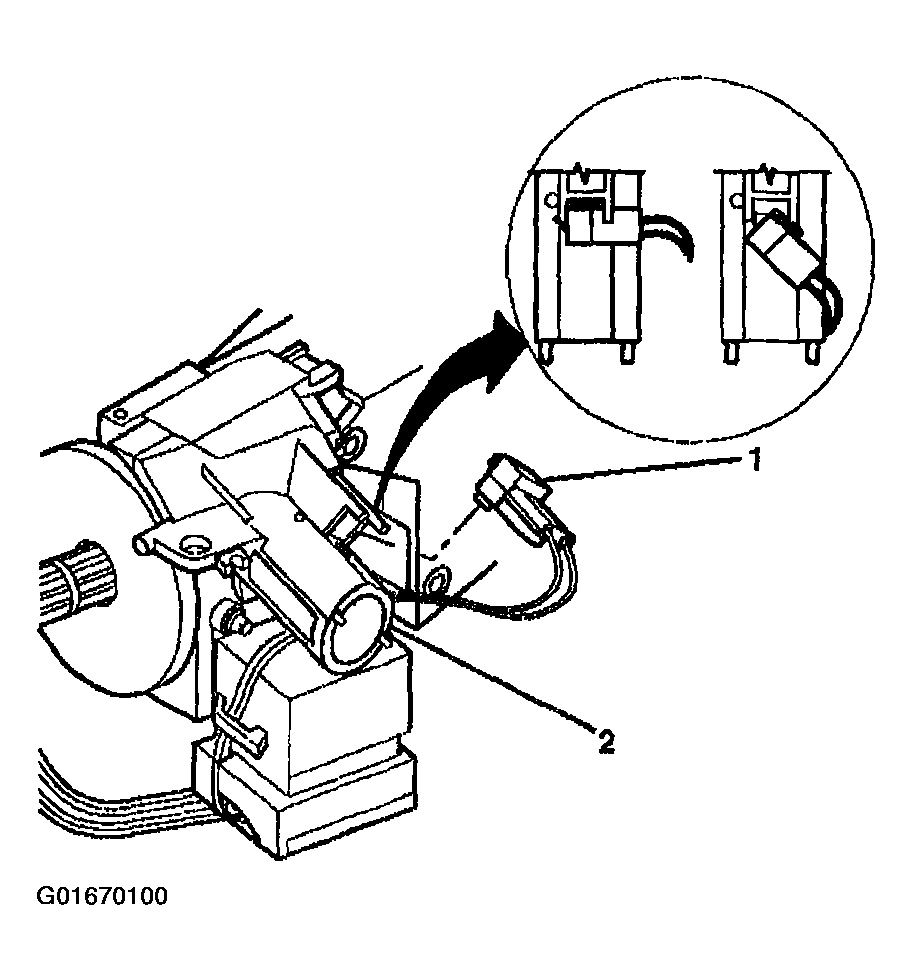
- Install the key alarm connector (1) into the lock module (2).
- 2.1. Push the key alarm connector (1) into the lock module (2).
- 2.2. Rotate the key alarm connector (1) 90 degrees so that the key alarm connector (1) locks into place.
- 2.3. Install the passkey electrical connector to the lock module (2).
 Courtesy of GENERAL MOTORS CORP.
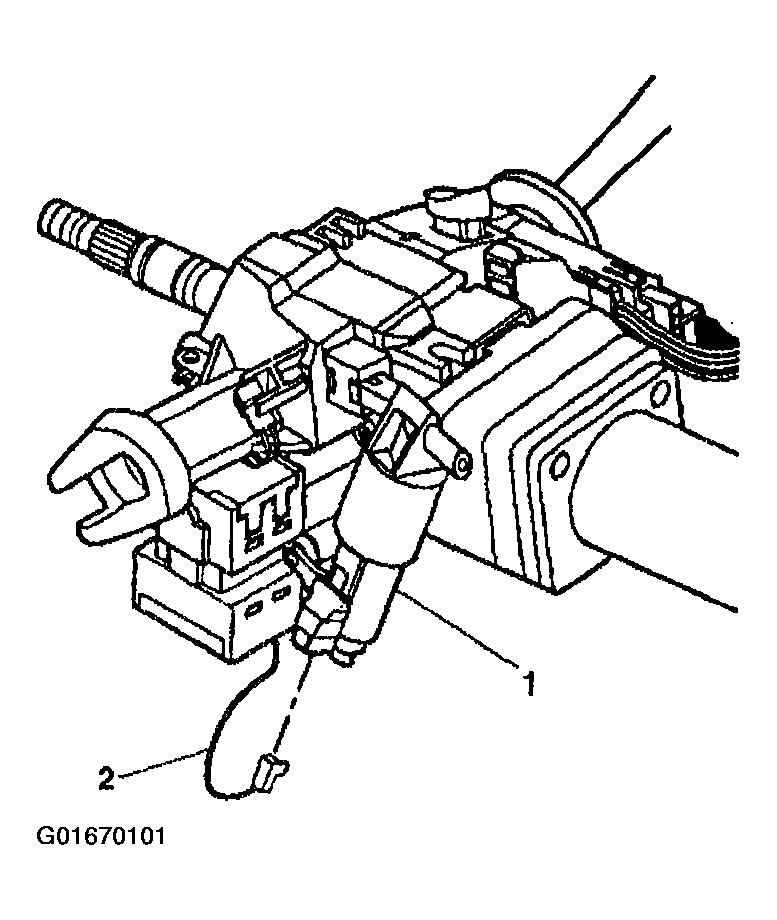
- Connect the electrical connector (2) to the electric park lock (1), for vehicles equipped with floor shifter.
 Courtesy of GENERAL MOTORS CORP.
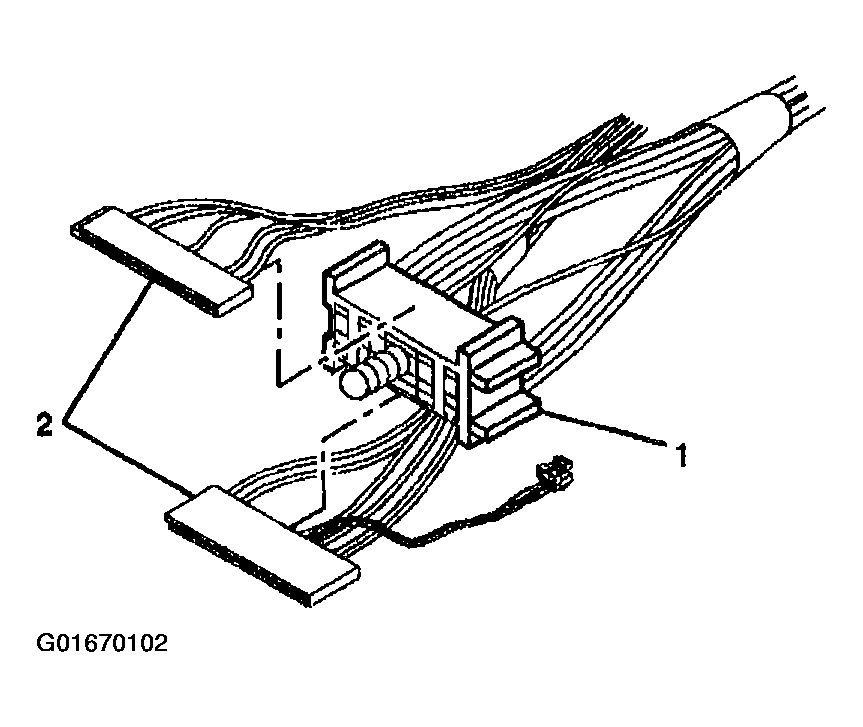
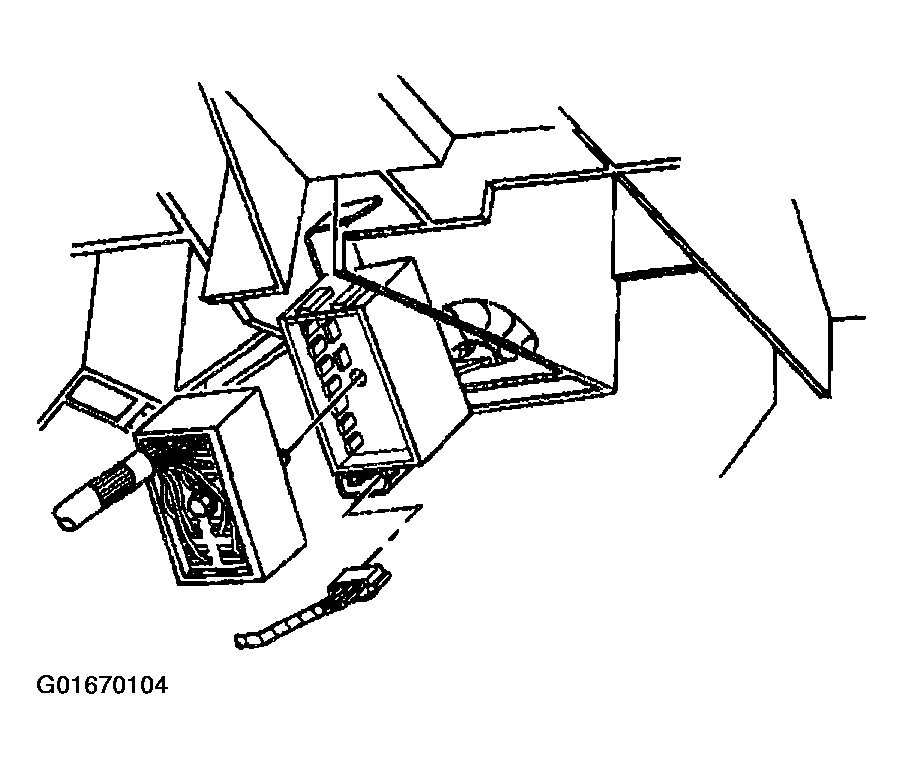
- Slide the connectors (2) of the turn signal and multifunction switch into the bulkhead connector (1).
 Courtesy of GENERAL MOTORS CORP.
- Attach the wire harness (1) to the steering column with the wire harness strap (2).
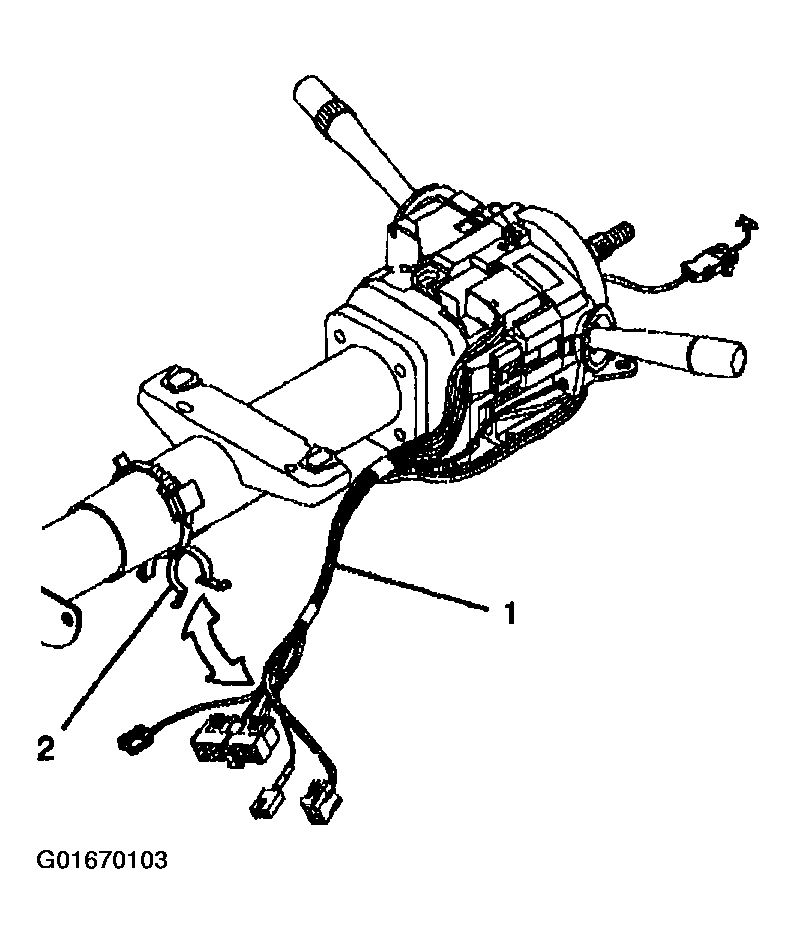 Courtesy of GENERAL MOTORS CORP.
- Connect the steering column bulkhead electrical connectors to the vehicle.
- Install the trim covers to the column. Refer to Steering Column Trim Covers Replacement - On Vehicle .
- Install the knee bolster. Refer to KNEE BOLSTER REPLACEMENT
.
- Enable the SIR system. Refer to ACTIVATING SYSTEM
.
 Courtesy of GENERAL MOTORS CORP.