Rear BELTLINE Molding Removal/Installation
WARNING: This page is about a different car, the 2004 Mazda 3. However, it is still accessible from the selected car via links, so may be relevant.
- Raise the center of the rear beltline molding and detach tabs A.
- Using a small flathead screwdriver, detach clip B and remove the rear beltline molding.
- Install in the reverse order of removal.
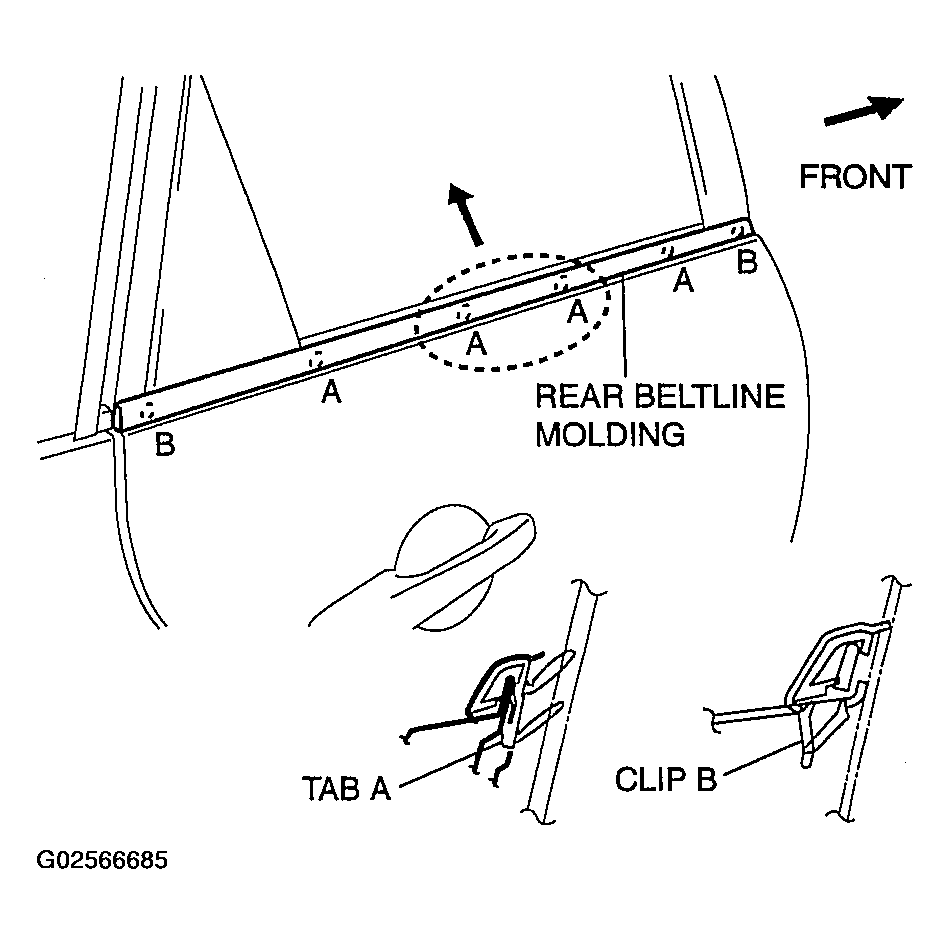 Courtesy of MAZDA MOTORS CORP.