Removal Procedure
- Remove the shift control lever. Refer to CONTROL LEVER &/OR BOOT REPLACEMENT
in MANUAL TRANSMISSION - NV 1500 article.
- Remove the cup holder insert.
- Remove the screws that retain the trim plate to the console.
- Remove the trim plate from the console.
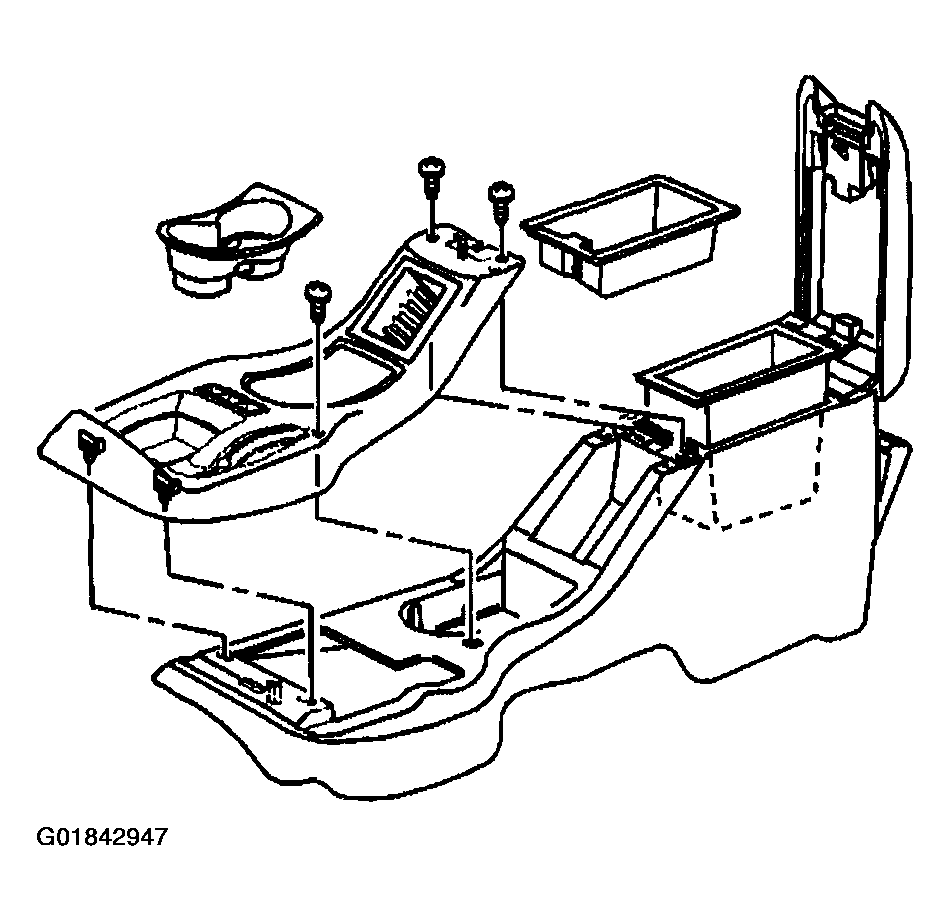 Courtesy of GENERAL MOTORS CORP.
- Open the storage compartment cover.
- Remove the storage compartment.
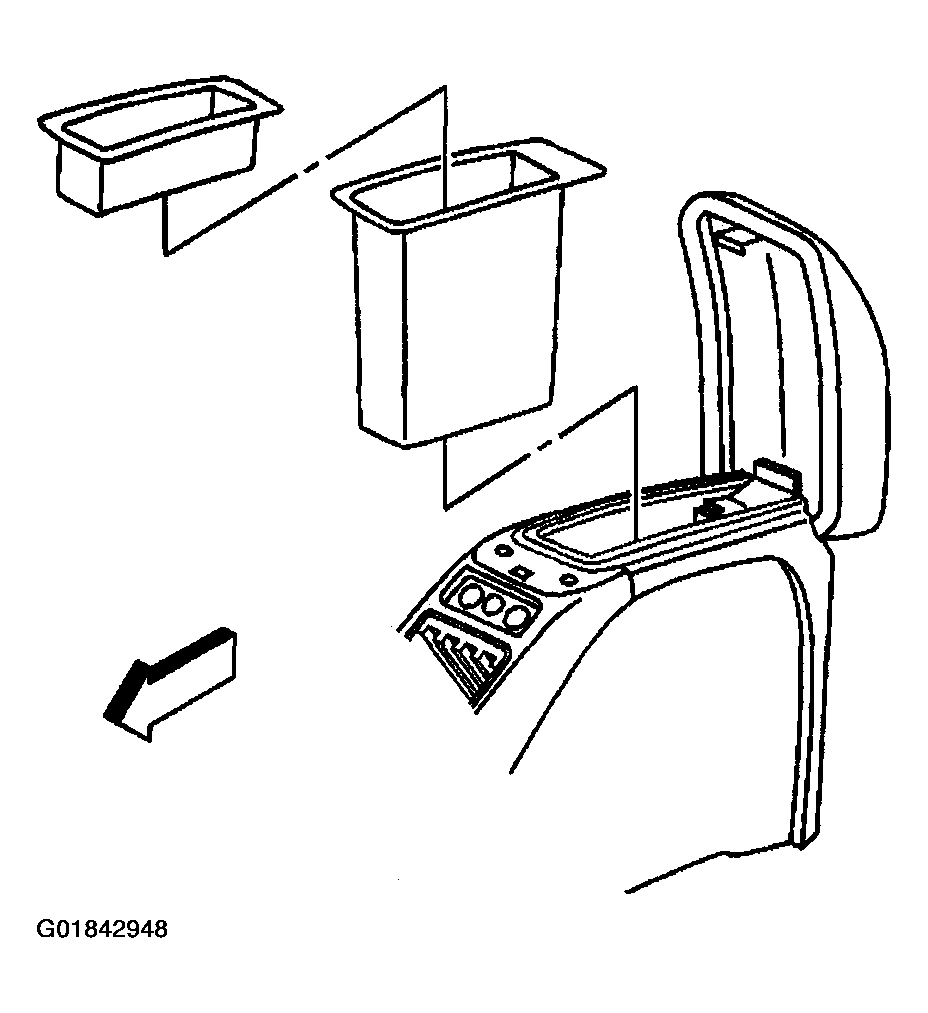 Courtesy of GENERAL MOTORS CORP.
- Remove the nuts that retain the console to the vehicle.
- Disconnect the electrical connector, if equipped.
- Remove the console from the vehicle.
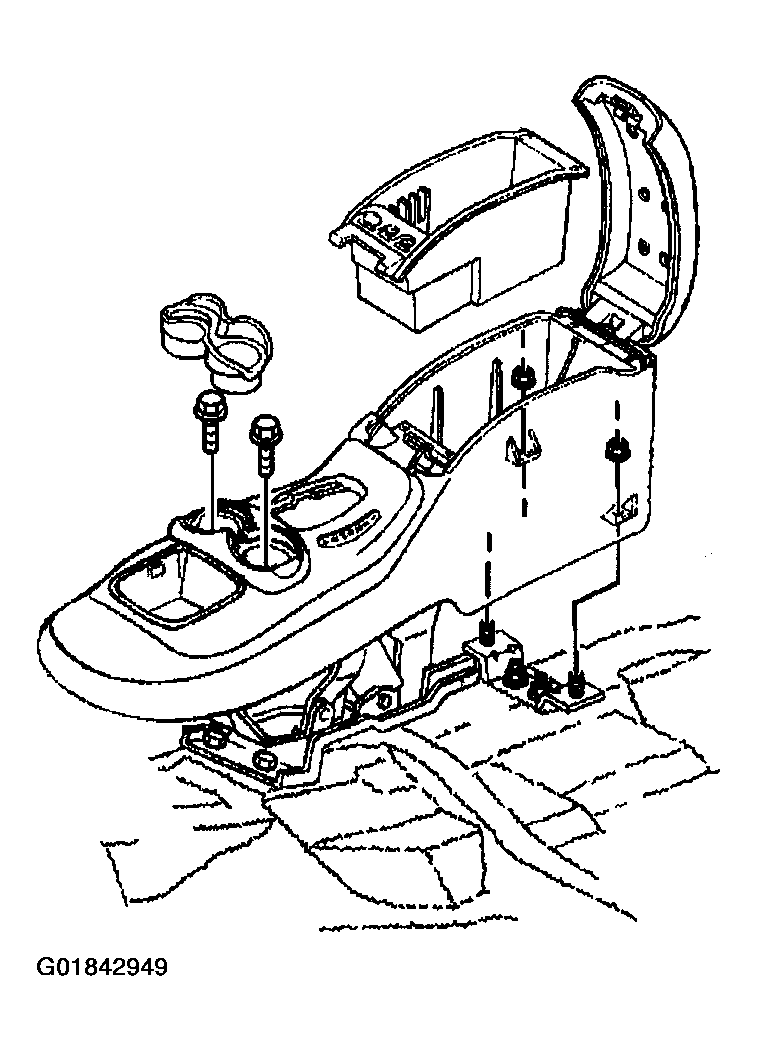 Courtesy of GENERAL MOTORS CORP.