Removal Procedure
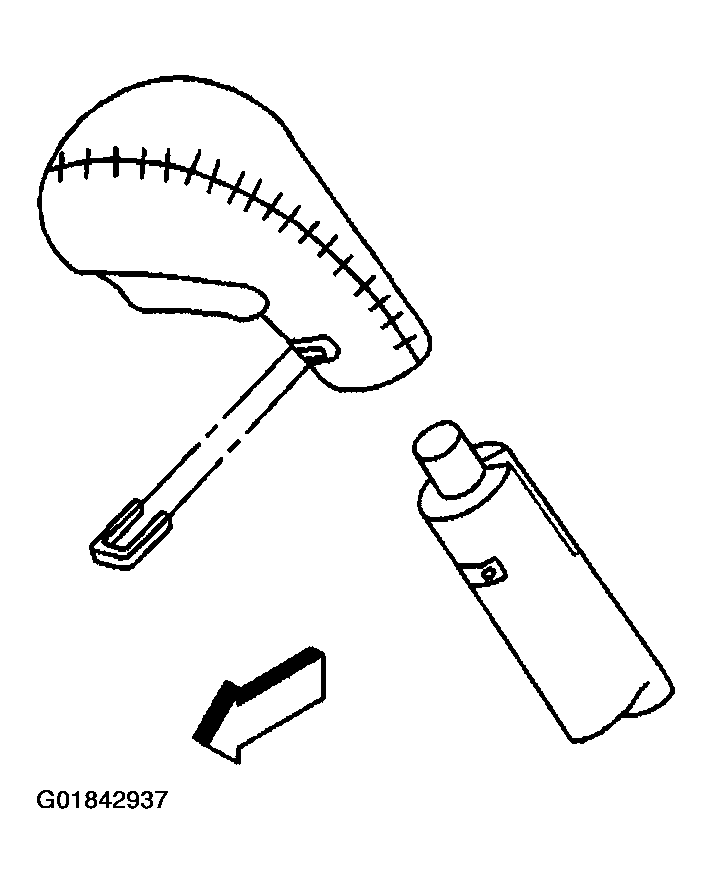
- Remove the shift handle retaining clip at the front of the handle.
 Courtesy of GENERAL MOTORS CORP.
- Remove the shift handle from the shift lever.
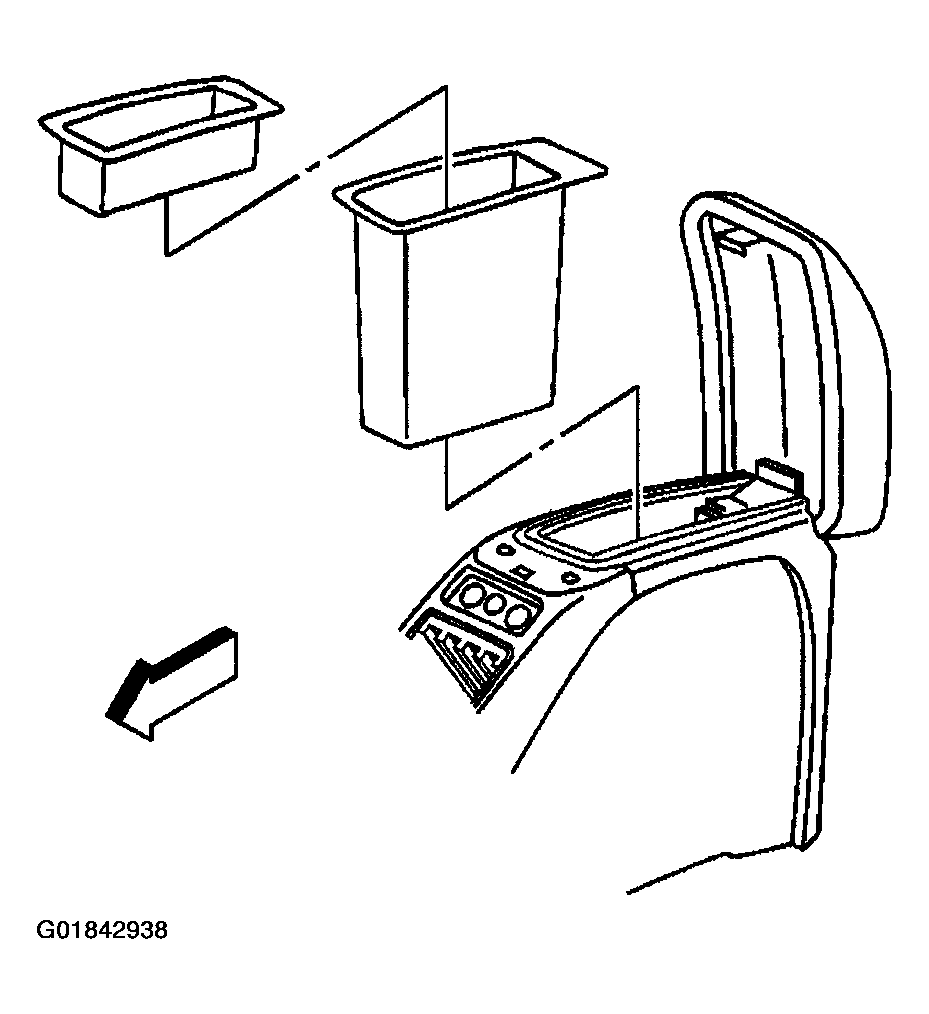
- Open the console lid.
- Remove the console compartment inserts.
 Courtesy of GENERAL MOTORS CORP.
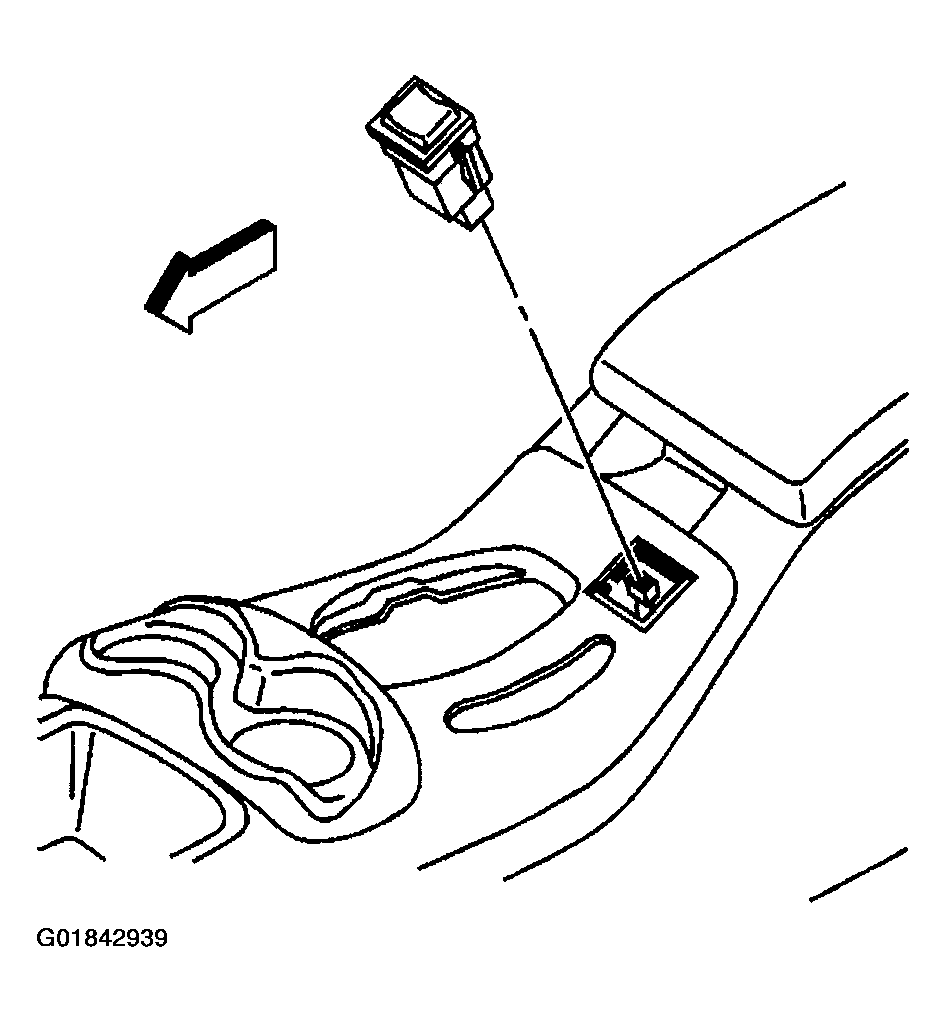
- Remove the transmission select switch (if equipped).
 Courtesy of GENERAL MOTORS CORP.
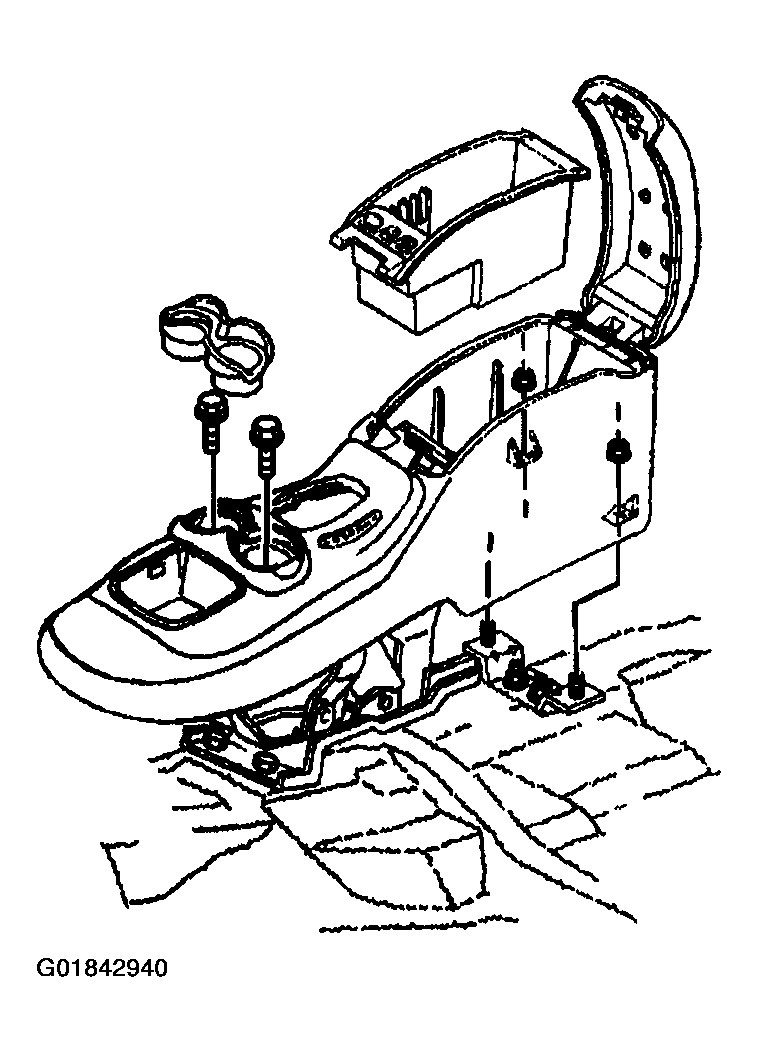
- Remove the nuts that retain the rear of the console.
- Remove the cup holder insert.
- Remove the screws that retain the front of the console to the vehicle.
- Remove the console from the vehicle.
 Courtesy of GENERAL MOTORS CORP.