Removal & Installation ("C", "K", S" & "T" Series)
- Remove upper and lower steering column trim covers. Disconnect steering column bulkhead connector and slide turn signal and multifunction switch connectors form bulkhead connector.
- Using small screwdriver, gently pry retaining clip on key alarm. Rotate alarm switch 1/4 turn, and remove alarm switch. See Fig 1. Slide ignition key and alarm switch assembly out of lock module assembly. On "C" and "K" series, use Ignition Switch Connector Release Tool (J-42759) to release ignition key alarm assembly.
- To install, reverse removal procedure. Tighten screws to specification. See TORQUE SPECIFICATIONS .
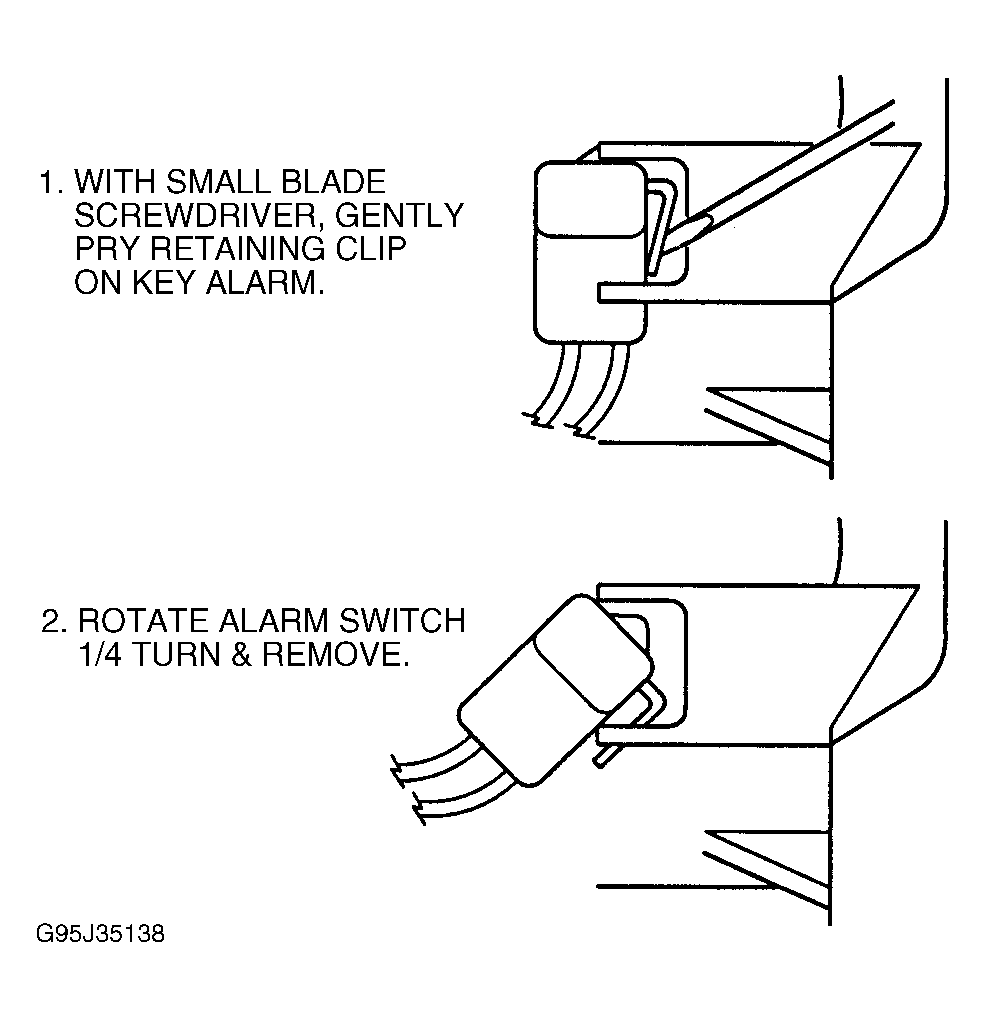 Courtesy of GENERAL MOTORS CORP.