Test N: Charge Warning Indicator Inoperative
- Ensure battery and charging system are okay. See appropriate GENERATORS & REGULATORS article in STARTING & CHARGING SYSTEMS. After ensuring battery and charging system are okay, go to next step.
- Observe charge indicator. Turn ignition switch to RUN position, with engine off. If charge indicator does not illuminate, go to next step. If charge indicator illuminates, go to DIAGNOSING INTERMITTENTS
.
- Test Red wire between Powertrain Control Module (PCM) harness connector C2 terminal No. 61 and generator harness connector terminal "B"generator for high resistance or an open. See Figure
and Fig 1
. If no problem is found, go to next step. If problem is found, repair as necessary. After repair, go to step 6
.
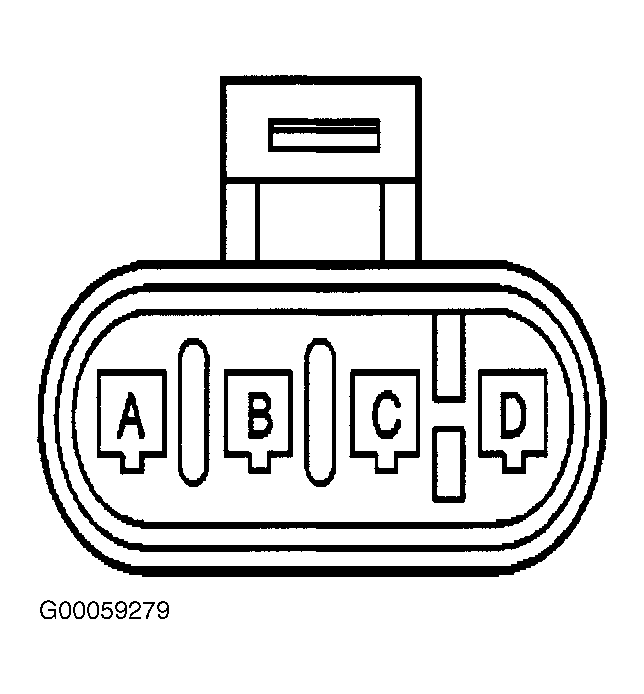 Courtesy of GENERAL MOTORS CORP.
- Check for poor connections at PCM harness connectors. If no problem is found, go to next step. If problem is found, repair as necessary. After repair go to step 6
.
- Replace PCM. See POWERTRAIN CONTROL MODULE
under REMOVAL & INSTALLATION. After repair, go to next step.
- Operate system to verify repair. If system does not operate properly, go to step 2
. If system operates properly, system is okay.