Removal & Installation
- Remove fastener from coolant tank. Remove coolant tank, and set aside. Remove 3 bolts from support brace. Remove support brace. Disconnect Mass Air Flow (MAF) sensor harness connector. Loosen 2 clamps on air intake duct/MAF sensor assembly. Remove air inlet duct/MAF sensor assembly. See Fig 1
.
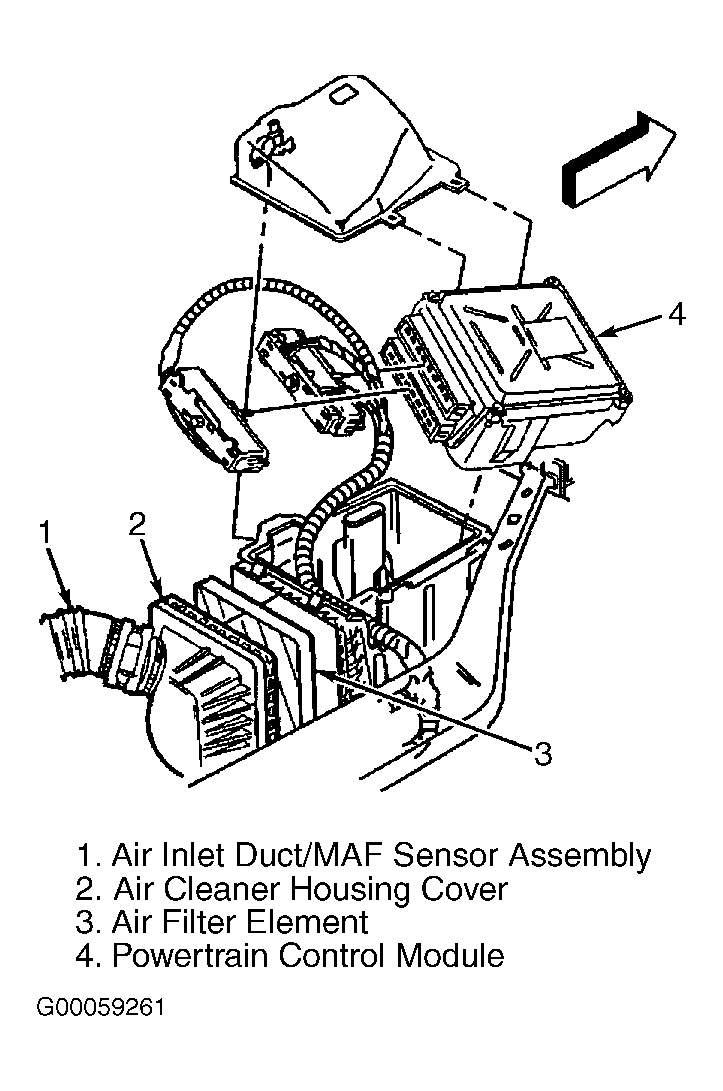 Courtesy of GENERAL MOTORS CORP.
- Unsnap 2 air cleaner housing cover latches. Remove air cleaner housing cover. Remove air filter element. Unsnap latch on upper cover. Remove upper cover.
- Leaving 2 Powertrain Control Module (PCM) harnesses connected, carefully remove PCM, and set aside. Remove 2 bolts from air cleaner assembly. Remove housing. To install, reverse removal procedure.