Timing Chain TENSIONER (Camshaft): Installation
- To install, depress timing chain tensioner plunger into tensioner body. Hold plunger in place with paper clip or similar retainer, and install tensioner. See Fig 2. Tighten tensioner bolts and nut to specification. See TORQUE SPECIFICATIONS . Remove plunger retainer.
- Turn crankshaft 2 revolutions, realigning crankshaft keyway with mark on block. Ensure arrow on idler sprocket is at 6 o'clock position, and guide pins on camshaft sprockets are aligned with notches on cylinder head. See Fig 1. Apply engine oil to timing chains, tensioner, guides and sprockets. To complete installation, reverse removal procedure. Tighten bolts to specification. See TORQUE SPECIFICATIONS . Fill crankcase, cooling system, and power steering system. On 4WD models, adjust front wheel toe-in. See appropriate
SPECIFICATIONS & PROCEDURES article in WHEEL ALIGNMENT.
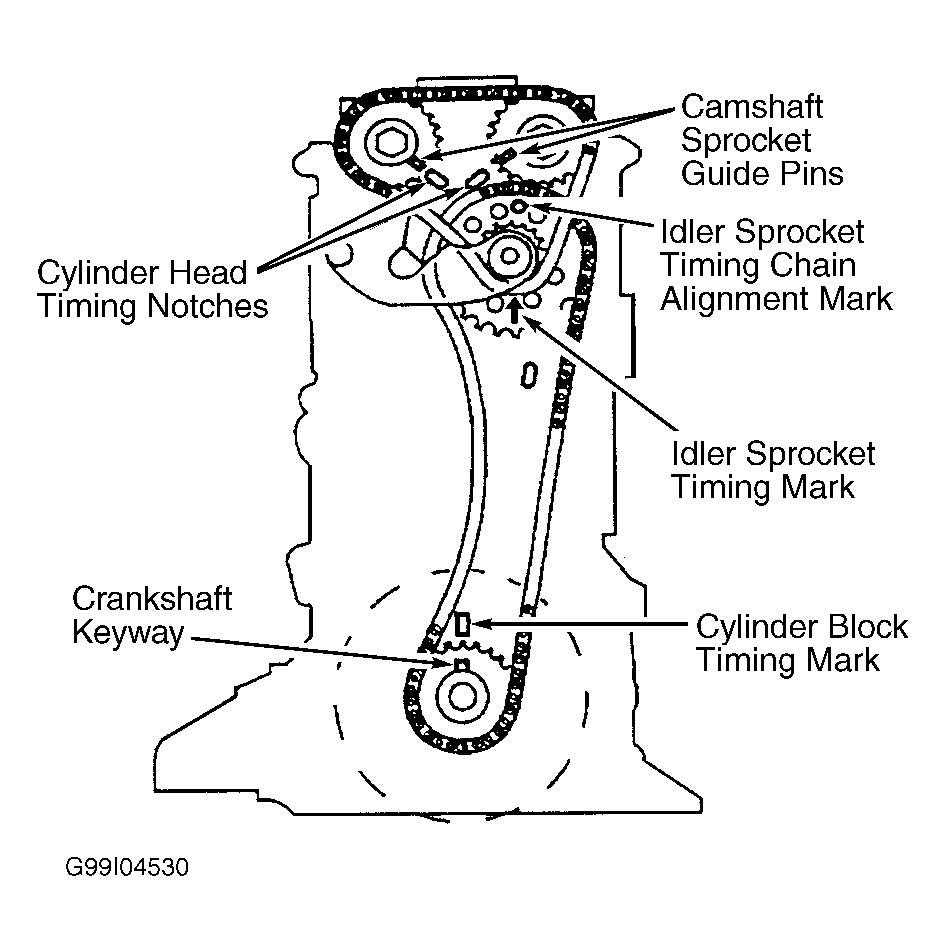 Courtesy of GENERAL MOTORS CORP.
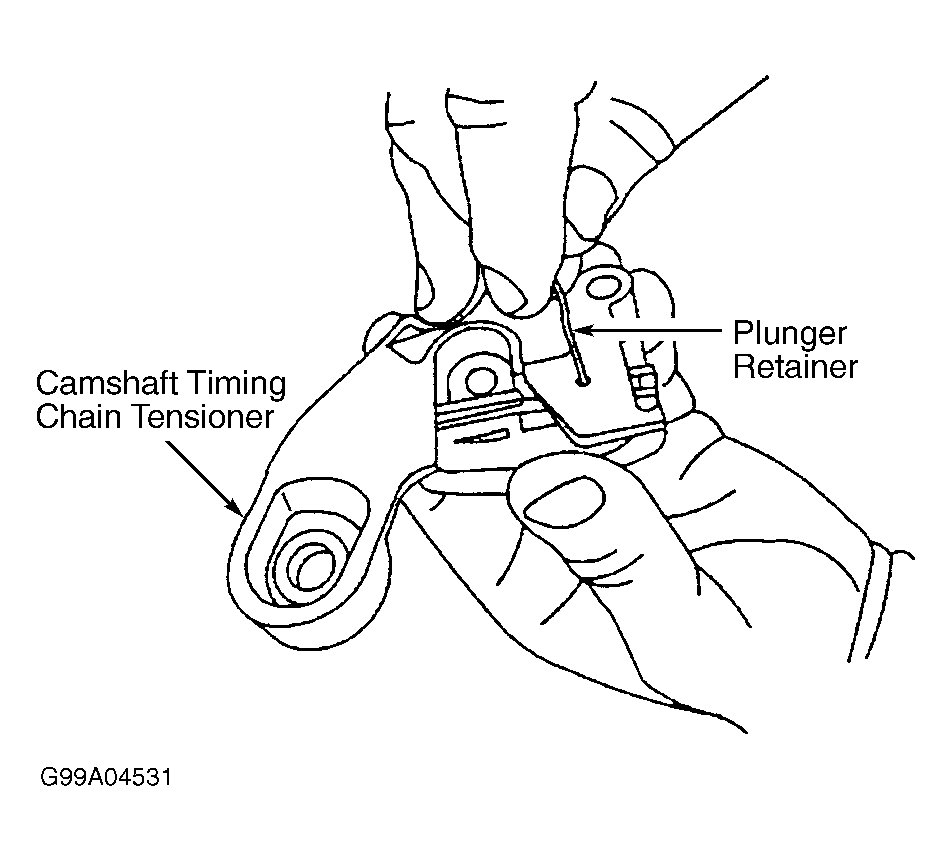 Courtesy of GENERAL MOTORS CORP.