Test C: Oil Pressure Gauge Inoperative Or Inaccurate
- Turn ignition switch to START position. With engine running, check operation of oil pressure indicator. If oil pressure indicator is inoperative, go to next step. If oil pressure indicator is operating correctly, check for intermittent condition. See appropriate BODY CONTROL MODULES article.
- Disconnect oil pressure switch harness connector. Oil pressure switch is on left side of engine block above engine mount. Using a fused jumper wire (5-amp), connect oil pressure switch harness connector to ground. If oil pressure indicator illuminates, go to next step. If oil pressure indicator does not illuminate, go to step 4
.
- Replace oil pressure switch and retest system.
- Remove instrument cluster. See INSTRUMENT CLUSTER
under REMOVAL & INSTALLATION. Disconnect instrument cluster 10-pin harness connector C2. Check continuity between ground and oil pressure switch terminal (Yellow/Black wire). See Fig 1
. If continuity does not exist, go to next step. If continuity exists, go to step 6
.
- Measure resistance in Yellow/Black wire between oil pressure switch harness connector and instrument cluster harness connector C2 terminal No. 3. If resistance is 2 ohms or more, go to next step. If resistance is less than 2 ohms, go to step 7
.
- Repair short or open in Yellow/Black wire between instrument cluster and oil pressure switch and retest system.
- Repair or replace instrument cluster printed circuit and retest system.
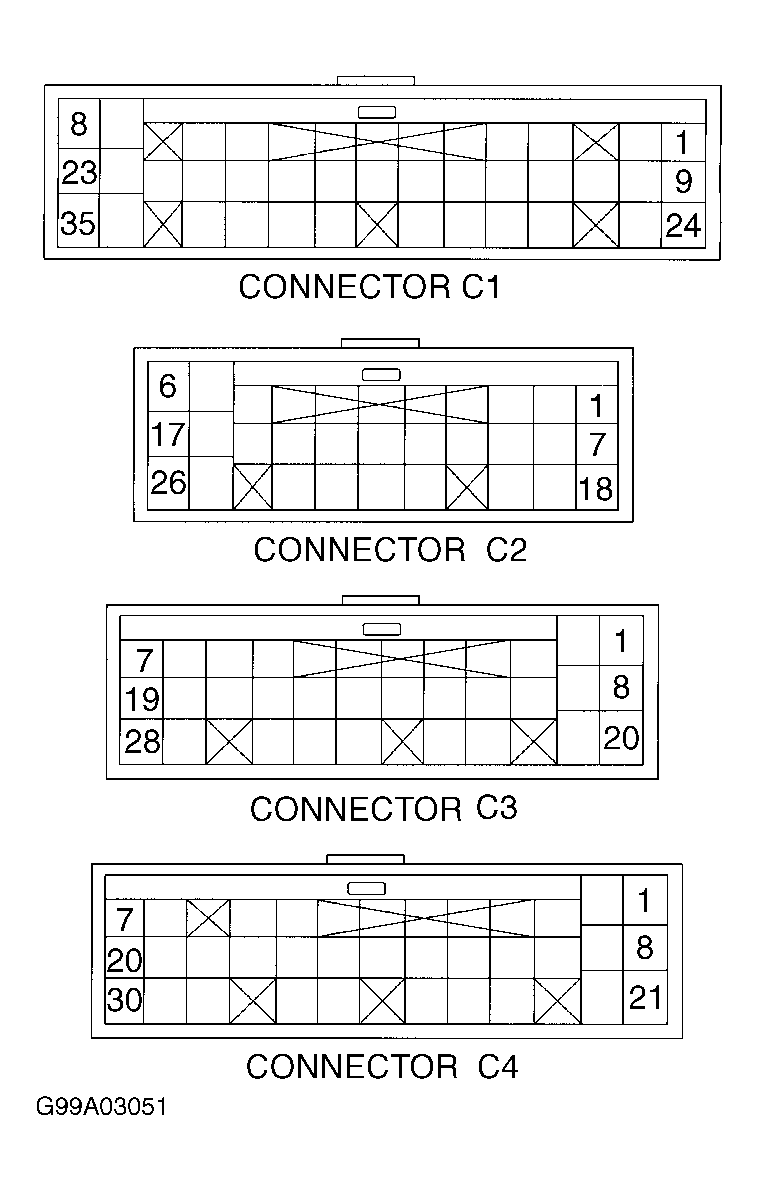 Courtesy of GENERAL MOTORS CORP.