Test B: Chime Always On
- Review description and operation prior to performing test. See DESCRIPTION & OPERATION
.
- If chime is always on, go to next step. If chime is not always on, diagnose intermittent condition. See INTERMITTENTS in BODY CONTROL MODULES - PRIZM article.
- Disconnect multifunction alarm module 12-pin harness connector C2. Disconnect Remote Control Door Lock Receiver (RCDLR) 15-pin harness connector. RCDLR is located under left side of instrument panel, above junction block No. 1. Measure resistance in Blue/Black wire between RCDLR harness connector terminal No. 10 and multifunction alarm module harness connector terminal No. 4. See Fig 1
. If resistance is 2 ohms or more, go to next step. If resistance is less than 2 ohms, go to step 5
.
- Repair open in Blue/Black wire between RCDLR and multifunction alarm module. After repair, go to step 10
.
- Remove and disconnect driver's side door ajar switch. If chime stops sounding, go to next step. If chime is still sounding, go to step 7
.
- Replace driver's side door ajar switch. After repair, go to next step.
- Reconnect and install driver's side door ajar switch. Disconnect key-in-ignition switch. If chime stops sounding, go to next step. If chime is still sounding, go to step 9
.
- Replace ignition switch. See appropriate STEERING COLUMN SWITCHES article. After repair, go to step 10
.
- Replace multifunction alarm module. Multifunction alarm module is located under left side of instrument panel, mounted to instrument panel junction box No. 2. After repair, go to next step.
- Operate system to verify repair. If problem does not exist, system is okay. If problem still exists, go to step 3
.
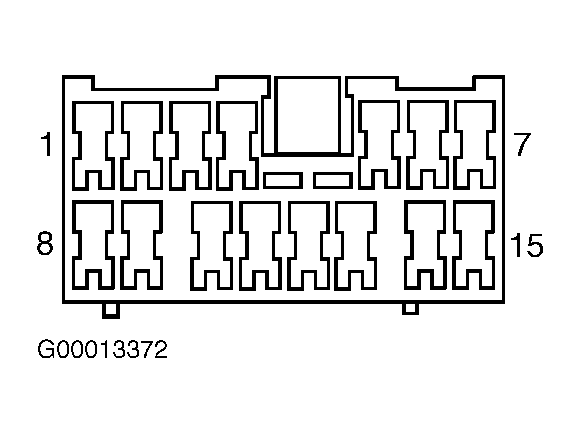 Courtesy of GENERAL MOTORS CORP.