Pulley Removal and Installation
Removal Procedure- Tools Required
- J 37609-A Power Steering Pump Pulley Remover
- J 25033-C Universal Installer or J 36015 Power Steering & Camshaft Pulley Installer
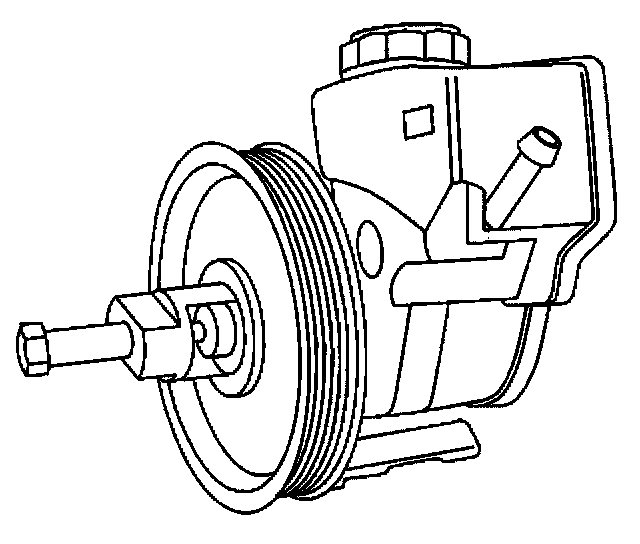
1. Remove the drive belt. Refer to Drive Belt Replacement in Engine.
2. Remove the power steering hoses from the power steering hose retainers.
Important: Do NOT disconnect the power steering hoses from the power steering pump.
3. Remove the power steering pump from the engine for clearance. Refer to Power Steering Pump Replacement
4. Use the J 37609-A in order to remove the pump pulley.
Installation Procedure
Important:
- Ensure that the face of the pulley hub is flush with the end of the pump shaft.
- Do not use the arbor press to install the pulley.
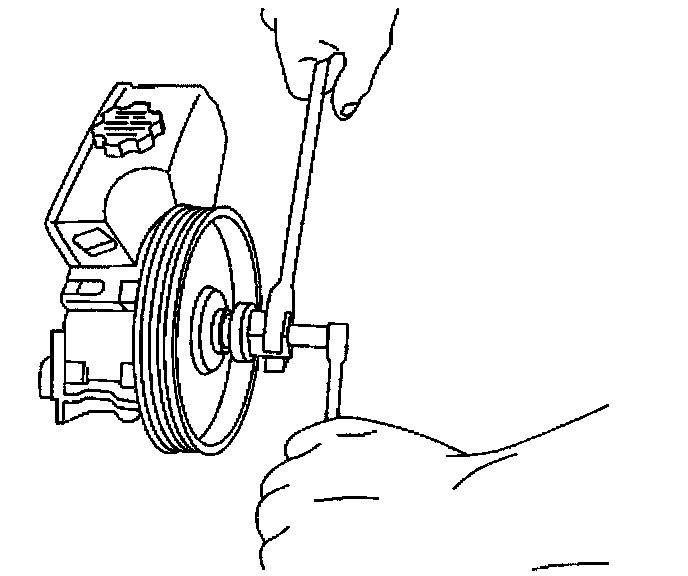
1. Use the J 25034-C or the J 36015 in order to install the power steering pump pulley.
2. Install the power steering pump to the engine. Refer to Power Steering Pump Replacement
3. Install the drive belt. Refer to Drive Belt Replacement in Engine.
4. Bleed the power steering system if the pump was removed. Refer to Bleeding the Power Steering System.
5. Inspect the system for leaks. Refer to Power Steering System Test Procedure.