Wheel Bearing/Hub Replacement - Rear (Export)
Removal Procedure1. Raise and support the vehicle. Refer to Vehicle Lifting.
2. Remove the tire and wheel. Refer to Tire and Wheel Removal and Installation in Wheels, Tires and Alignment.
3. Disconnect the wheel speed sensor electrical connector.
4. Remove the brake caliper bracket with the brake caliper. Refer to Brake Rotor Replacement - Rear (Export) in Brakes and Traction Control.
5. Remove the brake rotor.
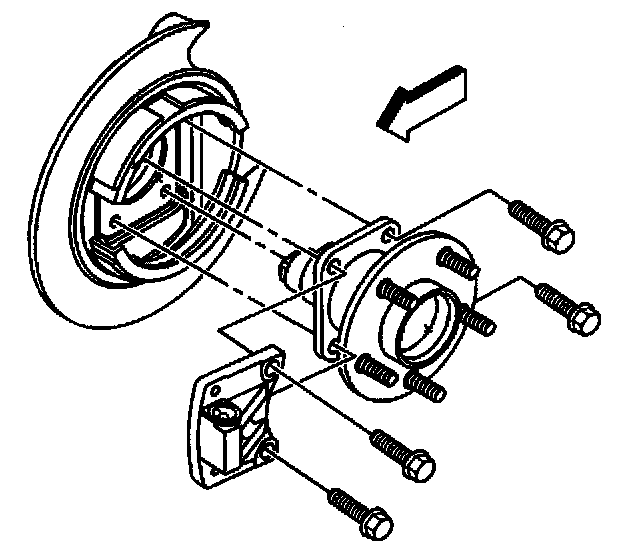
6. Loosen the park brake cable bracket bolts. Do NOT remove the park brake cable bracket bolts. Refer to Park Brake Cable Mounting Bracket Replacement in Brakes and Traction Control.
7. Remove and DISCARD the wheel bearing/hub bolts.
8. Remove the wheel bearing/hub.
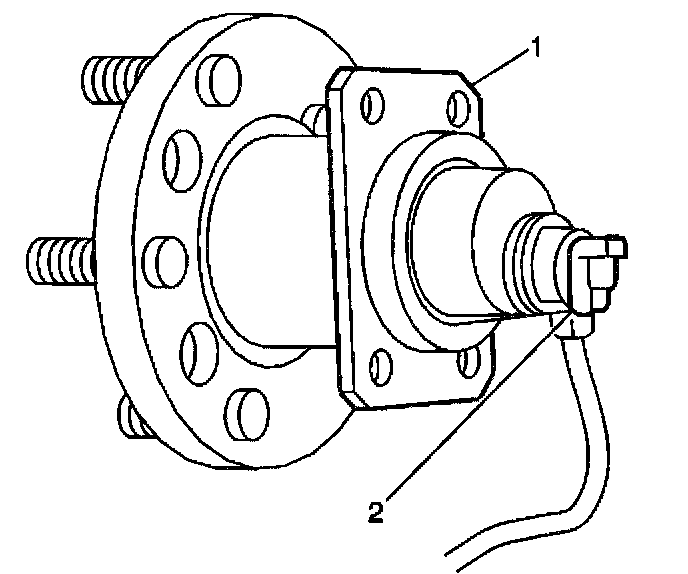
9. Disconnect the wheel speed sensor electrical connector (2).
Installation Procedure
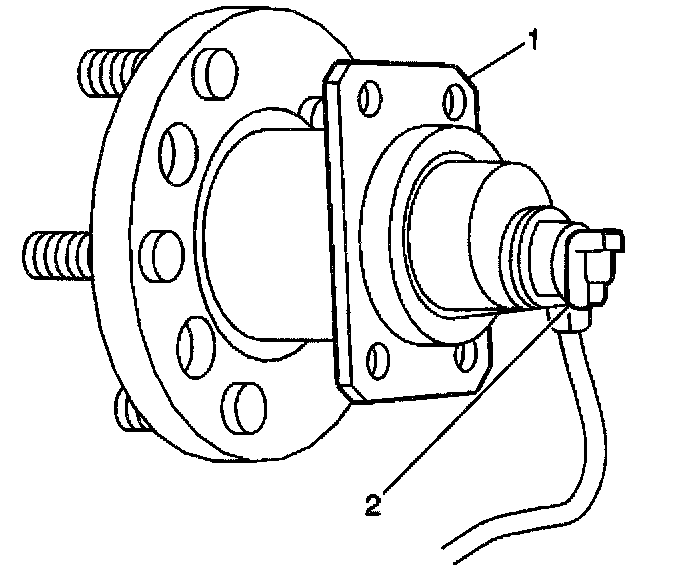
1. Connect the wheel speed sensor electrical connector (2).
2. Install the wheel bearing/hub.
Caution: These fasteners MUST be replaced with new fasteners anytime they become loose or are removed. Failure to replace these fasteners after they become loose or are removed may cause loss of vehicle control and personal injury.
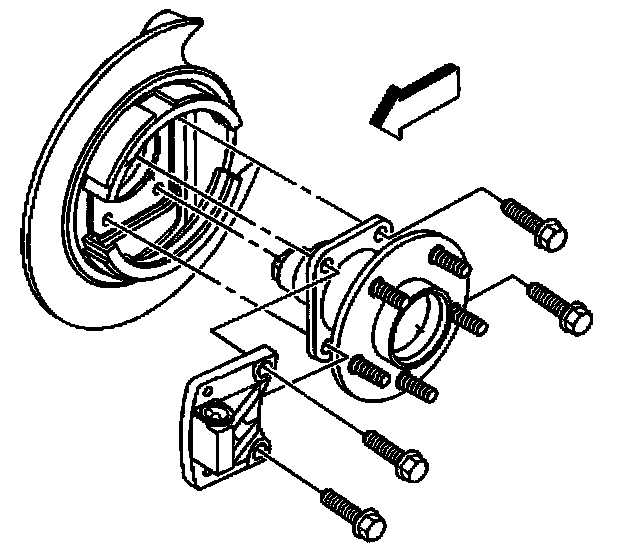
3. Install the NEW wheel bearing/hub bolts.
^ Tighten the NEW wheel bearing/hub bolts to 85 Nm (63 ft. lbs.).
4. Tighten the park brake cable bracket bolts. Refer to Park Brake Cable Mounting Bracket Replacement in Brakes and Traction Control.
5. Install the brake rotor.
6. Install the brake caliper bracket with the brake caliper. Refer to Brake Rotor Replacement -Front in Brakes and Traction Control.
7. Install the tire and wheel. Refer to Tire and Wheel Removal and Installation in Wheels, Tires and Alignment.
8. Lower the vehicle.