English/Metric Button
Pressing the E/M button changes the display units. For example on the Instrument Cluster when the E/M button is pressed the speed will change between miles and kilometers.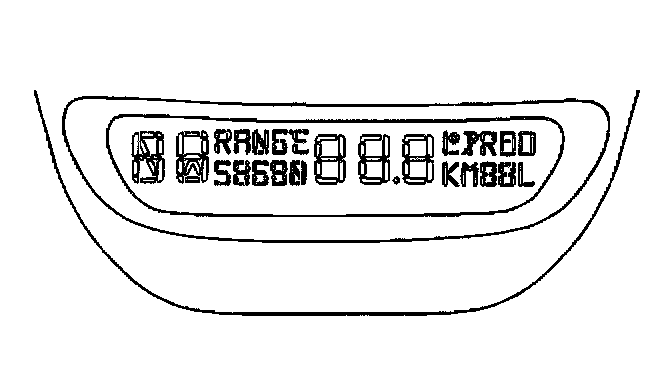
Mode Button
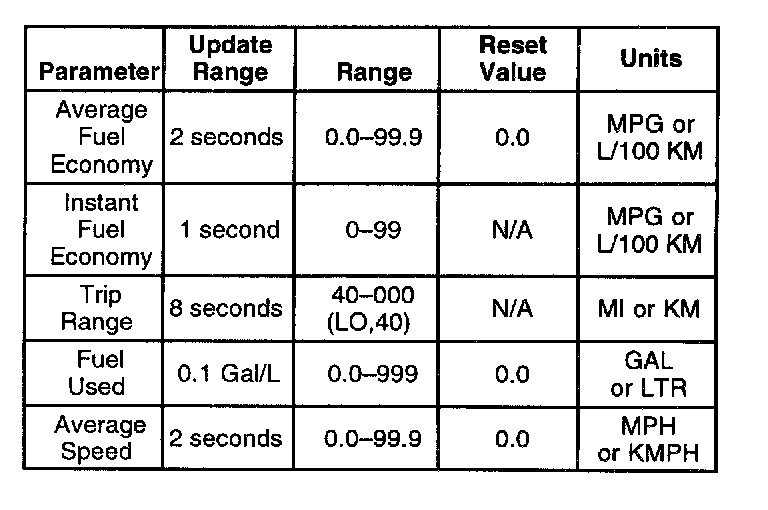
The display format for each mode is indicated in the following table:
Driver Information Center (DIC) Operation:
Pressing the MODE button changes the modes of operation for the driver information display. There are seven display modes available.
^ Off - No driver information is displayed in this mode of operation.
^ Compass/Temperature
^ Average Fuel Economy (AFE)
^ Instantaneous Fuel Economy (IFE)
^ Trip Range
^ Fuel Used
^ Average Speed