Video Screen
Video Screen:
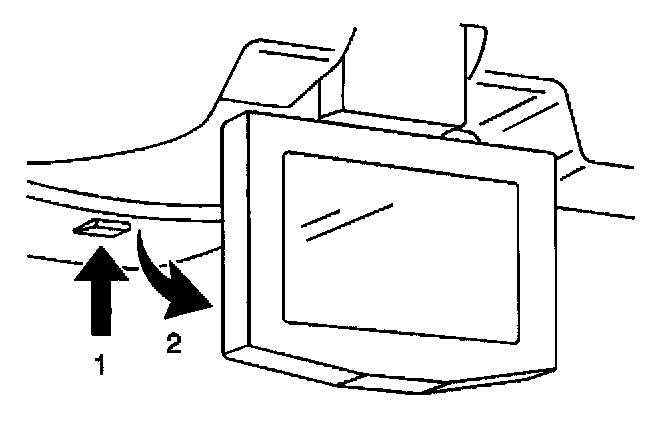
The video screen, when not in use, stows in the overhead entertainment console. To view the screen:
1. Push up on release button (1), and the video screen will drop.
2. Pull the video screen towards you and adjust its position for the best picture quality.
The video screen will glow even if nothing is playing. The status indicator on the Auxiliary Video Module (AVM) will glow green if the video entertainment system operating status is OK. When the video screen is moved to the stowed position, both the video screen and the status indicator will turn off. If the status indicator stays on but changes to red, that indicates the temperature sensor has been activated.
Whenever the video screen is unlatched, the audio from the in-dash radio system will be muted at the rear speakers. Simply stow and latch the video screen to resume audio from the in-dash radio system to the rear speakers.
Note that it is normal for the video screen and its housing to become warm to the touch. Use care when directly touching the video screen, as damage may result to it.