Rear Object Sensor Replacement
Rear Object Sensor Replacement
Removal Procedure
1. Remove the rear fascia. Refer to Rear Bumper Fascia Replacement (Rear Bumper Fascia Replacement) .
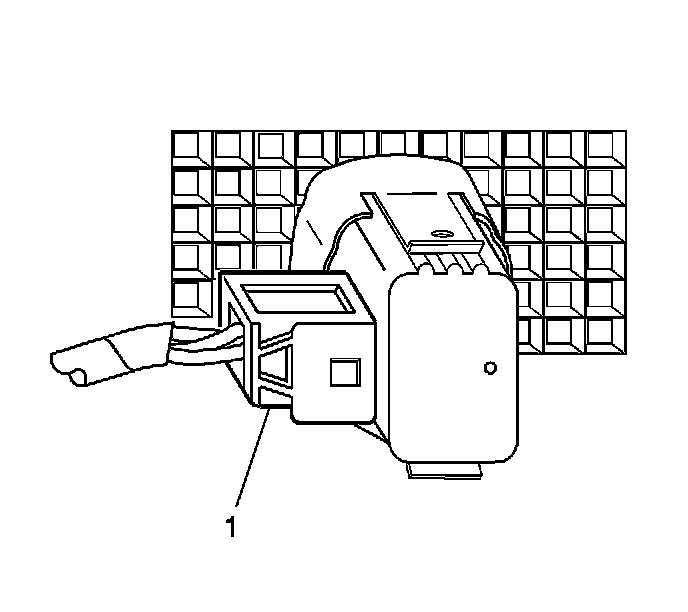
2. Disconnect the electrical connector (1) from the rear object sensor.
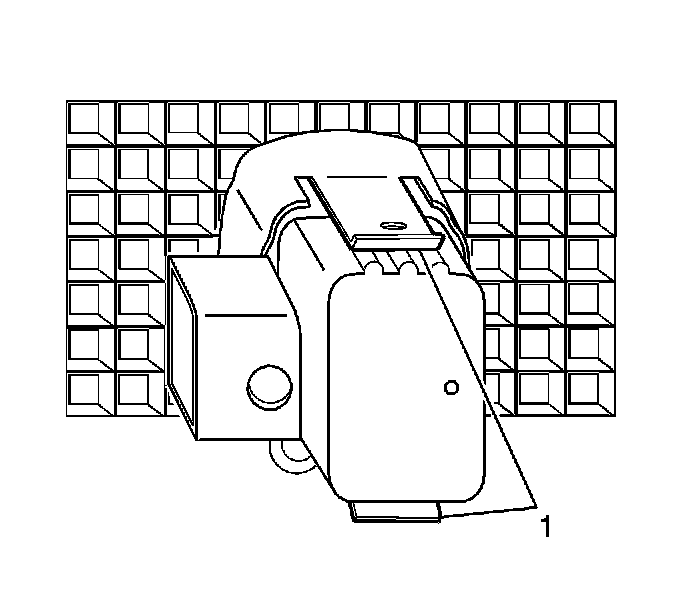
3. Release the locking tabs (1) attaching the sensor to the sensor housing.
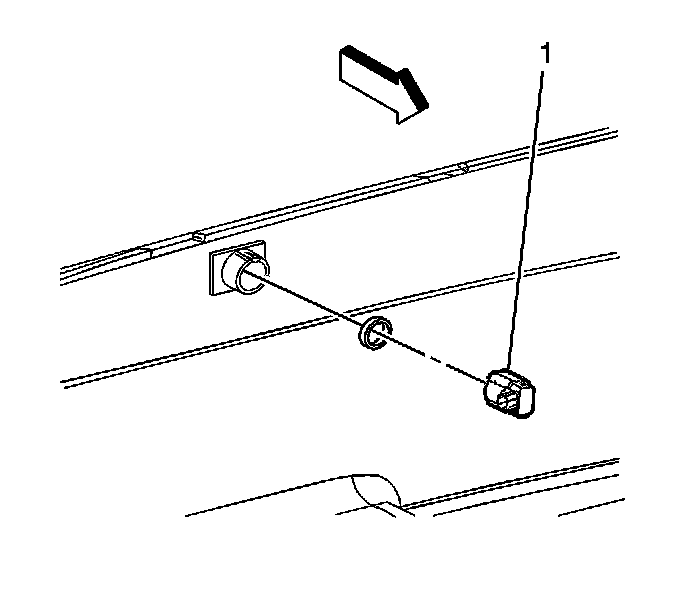
4. Remove the rear object sensor (1) from the sensor housing.
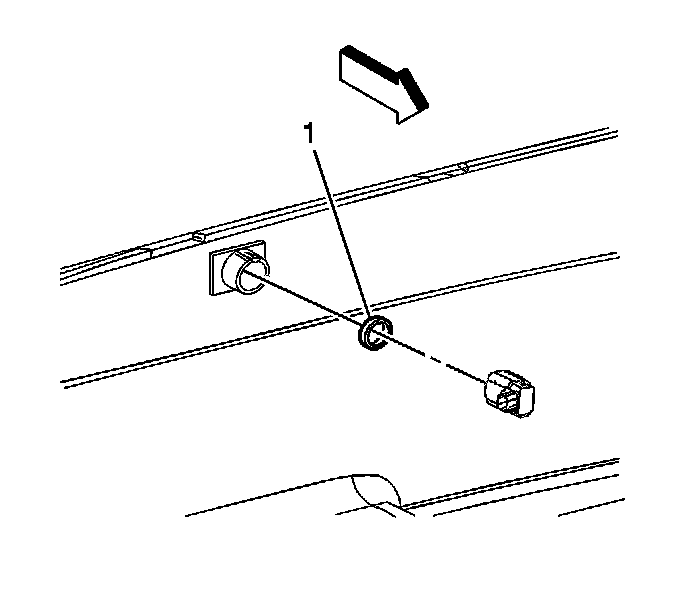
5. Remove the rear object sensor retainer ring (1) from the sensor.
Installation Procedure
Important: Do not refinish previously painted sensors. Excess paint build up will cause the sensor to be inoperative
1. Paint the new rear object sensor. Refer to Basecoat/Clearcoat Paint Systems (Basecoat/Clearcoat Paint Systems) .
2. Ensure the paint thickness does not exceed 6 mils. Use a paint thickness gage suitable for non-ferrous metals. Refer to Paint Gages () .
3. Install the sensor retainer ring (1) to the sensor.
4. Position the sensor (1) to the sensor housing.
5. Install the sensor to the sensor housing until the sensor (1) is fully seated.
6. Connect the electrical connector (1) to the sensor.
7. Install the rear fascia. Refer to Rear Bumper Fascia Replacement (Rear Bumper Fascia Replacement) .