Radio Front Speaker Replacement
Radio Front Speaker Replacement
Removal Procedure
1. Remove the instrument panel (I/P) trim pad. Refer to Instrument Panel Trim Pad Replacement (Service and Repair) .
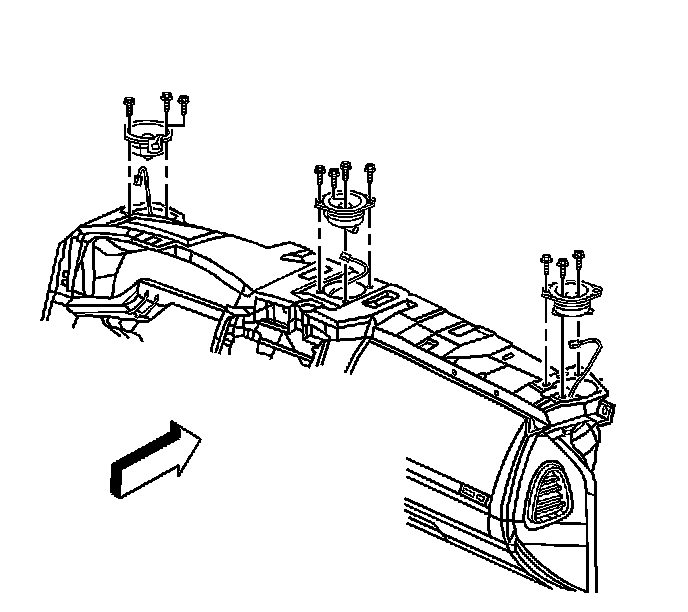
2. Remove the 4 retaining screws from the speaker as required.
3. Lift the speaker out from the I/P carrier to access the electrical harness.
4. Disconnect the speaker wire harness.
Installation Procedure
1. Position the speaker to the I/P carrier and connect the speaker wire harness.
Notice: Refer to Fastener Notice (Fastener Notice) .
2. Install the speaker to the I/P carrier and secure the speaker with the 4 retaining screws.
Tighten the screws to 2.5 N.m (22 lb in).
3. Install the I/P trim pad. Refer to Instrument Panel Trim Pad Replacement (Service and Repair) .