Camshaft Intermediate Drive Shaft Replacement
Camshaft Intermediate Drive Shaft Replacement
Removal Procedure
1. Remove the camshaft intermediate drive shaft sprocket. Refer to Primary Camshaft Drive Chain and Sprockets Replacement (Primary Camshaft Drive Chain and Sprockets Replacement) .
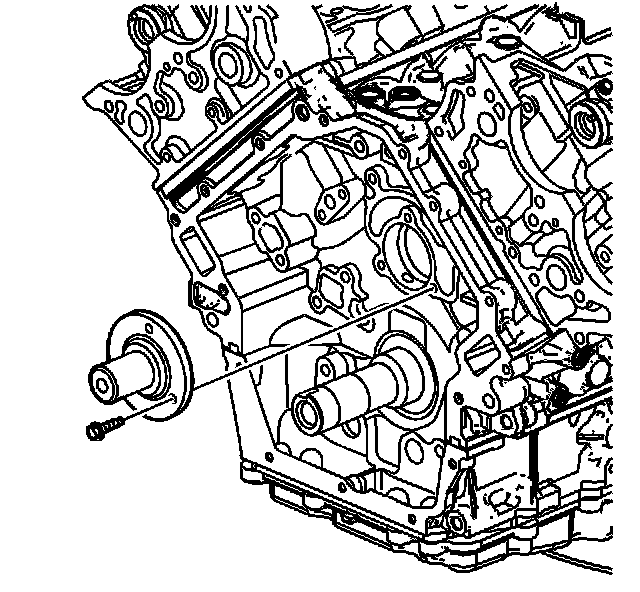
Important: The camshaft intermediate drive shaft should not be removed unless wear is evident.
2. Remove the camshaft intermediate drive shaft retaining bolts.
3. Remove the camshaft intermediate drive shaft from the engine.
4. Clean and inspect the camshaft intermediate driveshaft. Refer to Camshaft Intermediate Drive Shaft Cleaning and Inspection. Overhaul
Installation Procedure
1. Position the camshaft intermediate drive shaft to the engine, aligning the bolt holes.
Notice: Refer to Fastener Notice (Fastener Notice) .
2. Install the camshaft intermediate drive shaft retaining bolts.
Tighten the camshaft intermediate drive shaft retaining bolts to 15 N.m (11 lb ft).
3. Install the camshaft intermediate drive shaft sprocket. Refer to Primary Camshaft Drive Chain and Sprockets Replacement (Primary Camshaft Drive Chain and Sprockets Replacement) .