Removal Procedure
 Courtesy of GENERAL MOTORS CORP.
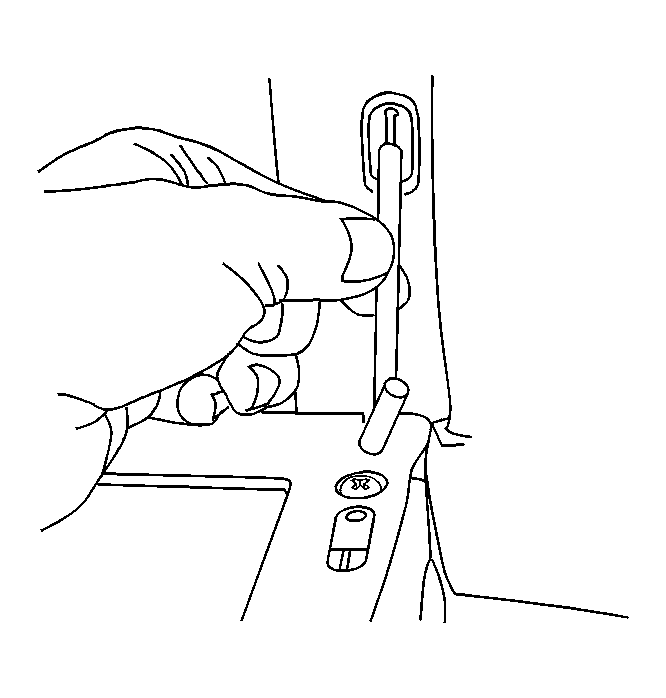
- Open the Instrument panel (IP) storage compartment door.
- Lift the door slightly and twist the compensator rod in order to disengage the end of the rod from the door.
 Courtesy of GENERAL MOTORS CORP.
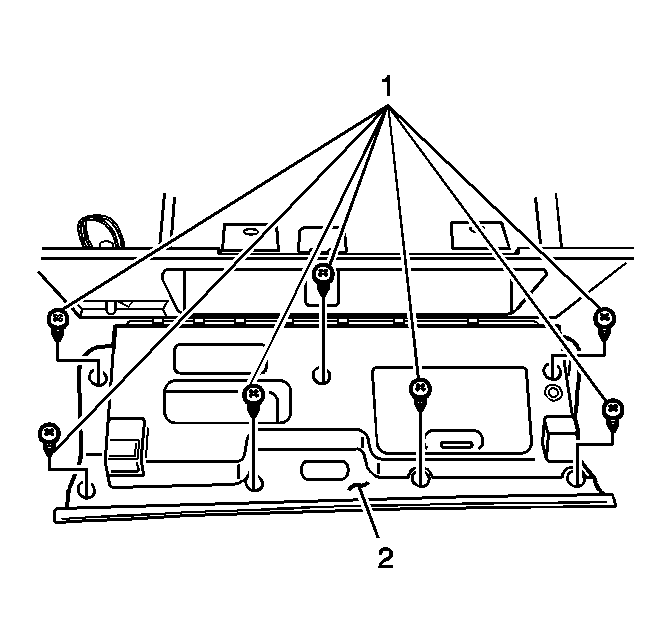
- Remove the screws (1) from the IP storage compartment door trim panel (2).
- Remove the IP storage compartment door trim panel (2).
 Courtesy of GENERAL MOTORS CORP.
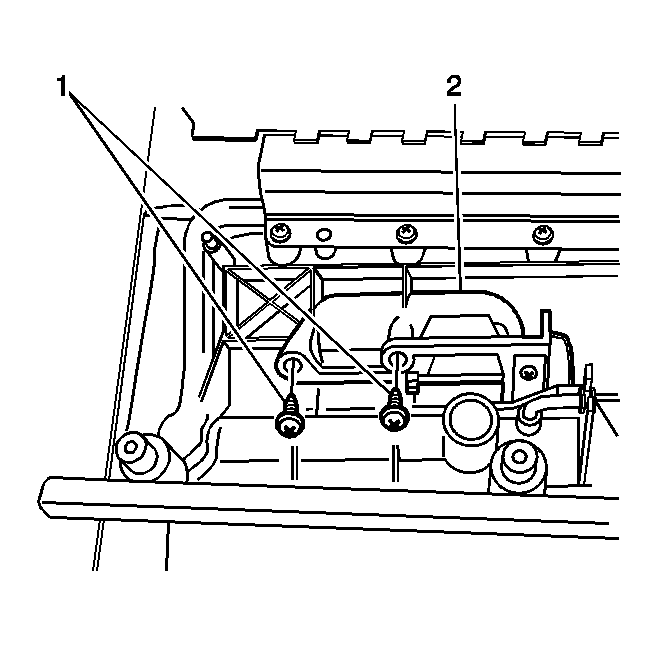
- Remove the screws (1) securing the IP storage compartment door handle (2) to the IP storage compartment door.
 Courtesy of GENERAL MOTORS CORP.
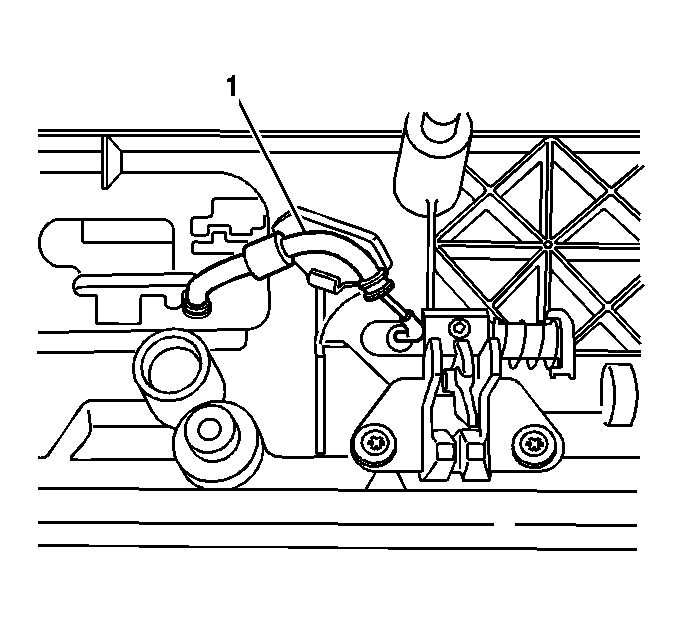
- Disengage the compartment latch actuator cable (1) from IP storage compartment latch.
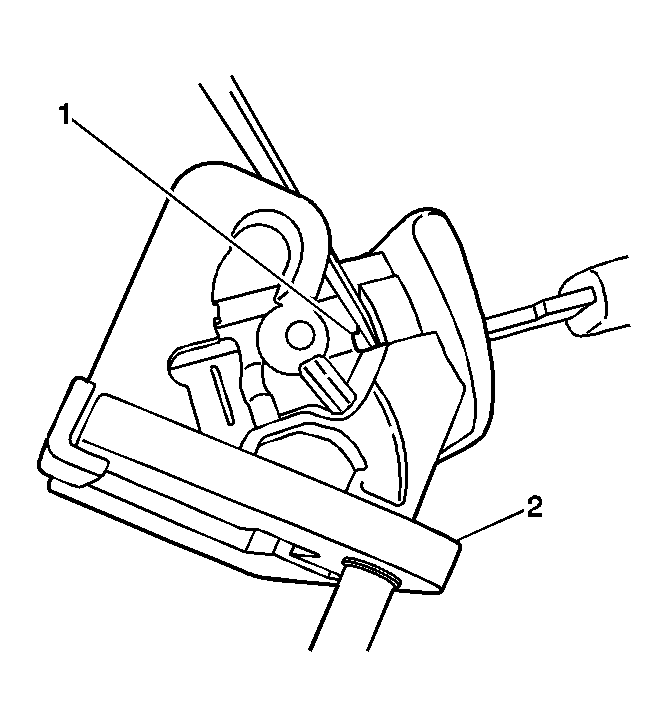 Courtesy of GENERAL MOTORS CORP.
- Remove the lock cylinder from the IP storage compartment latch handle:
- Insert the key into the door handle lock cylinder.
- Turn the key 1/4 turn clockwise (LOCK position).
- Insert a small diameter tool into the small rectangular opening (1) on the RH side of the compartment handle.
- Depress and hold the lock cylinder retainer.
- Turn the key an additional 1/4 turn clockwise.
- Remove the key and lock cylinder from the compartment handle (2).