Removal Procedure
 Courtesy of GENERAL MOTORS CORP.
- Open the console compartment lid in order to access the console storage compartment.
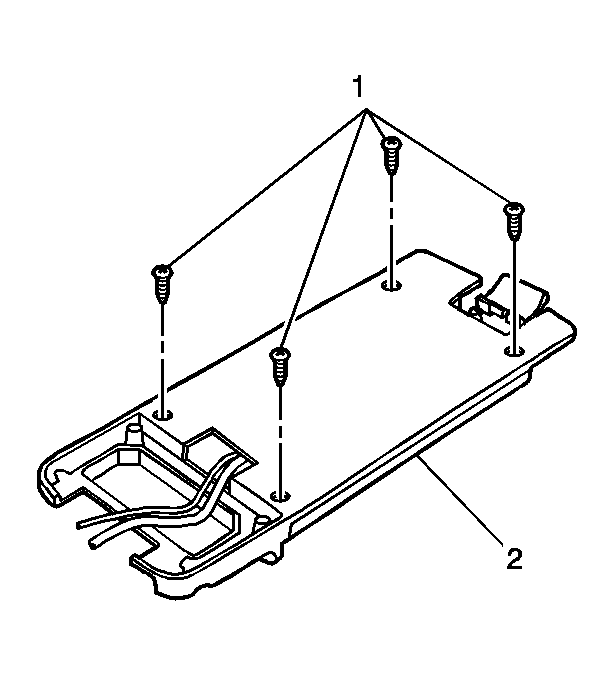
- Remove the 4 screws (1) that retain the mobile telephone storage tray to the console tray (2).
 Courtesy of GENERAL MOTORS CORP.
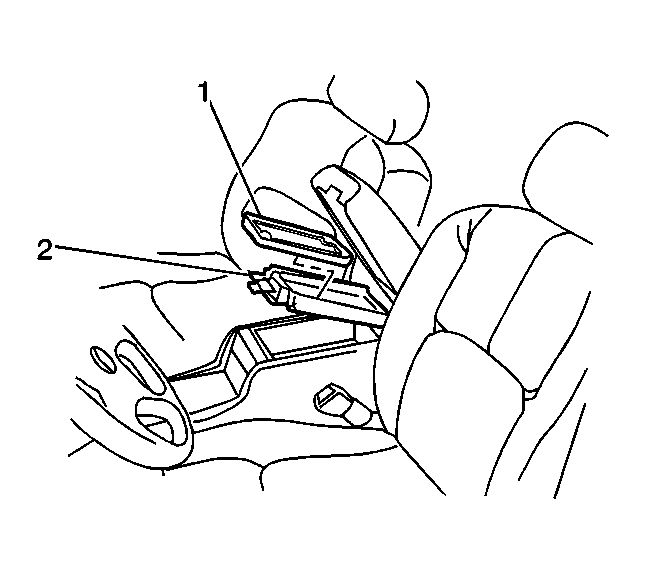
- If equipped with UV8, remove the mobile telephone storage tray (1) from the console tray (2) in order to expose the console lid latch screws.
- Remove the 2 screws that hold the console lid latch to the console tray.
- Remove the console latch from the console tray.