Installation Procedure
 Courtesy of GENERAL MOTORS CORP.
- Install the console latch to the console tray.
- Install the screws that retain the console lid latch to the console tray.
- Tighten the console latch screws fully driven, seated, but not stripped.
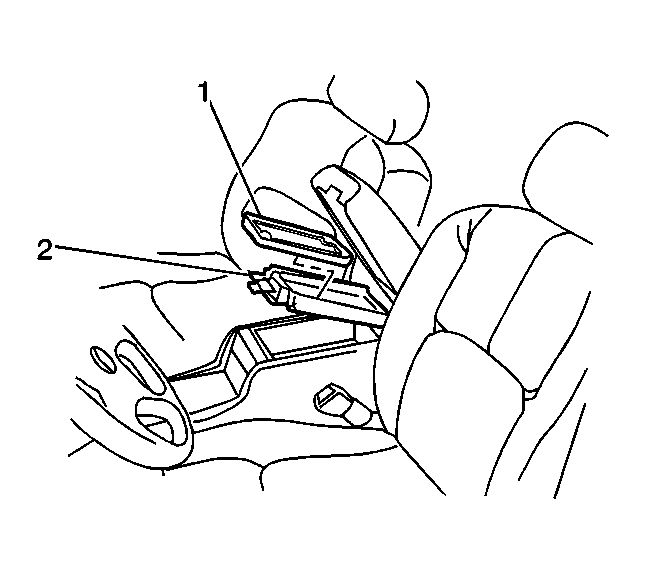
- If equipped with UV8, install the mobile telephone storage tray (1) to the console tray (2).
 Courtesy of GENERAL MOTORS CORP.
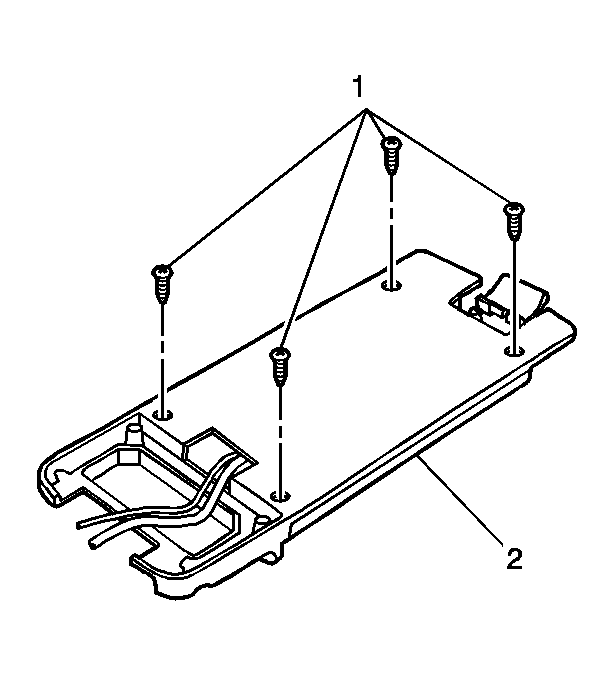
- Install the 4 screws (1) that retain the mobile telephone storage tray to the console tray (2).
- Tighten the console insert tray screws (1) fully driven, seated, but not stripped.
- Verify proper operation of the console door latch, and striker.