Removal Procedure
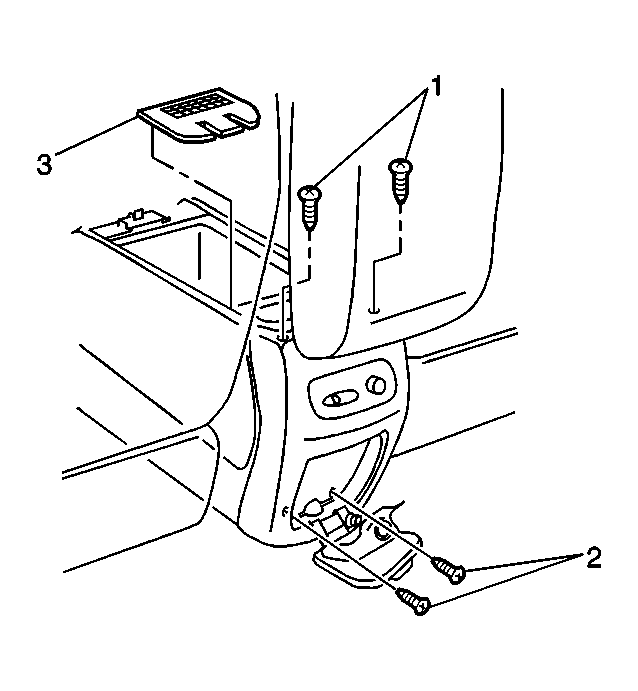
- Remove the rear ashtray and lighter assembly from the rear of the center console. Refer to Cigar Lighter Housing Replacement - Floor Console
in Power Outlets.
 Courtesy of GENERAL MOTORS CORP.
- Remove the 2 screws (2) from behind the rear ashtray and lighter assembly.
 Courtesy of GENERAL MOTORS CORP.
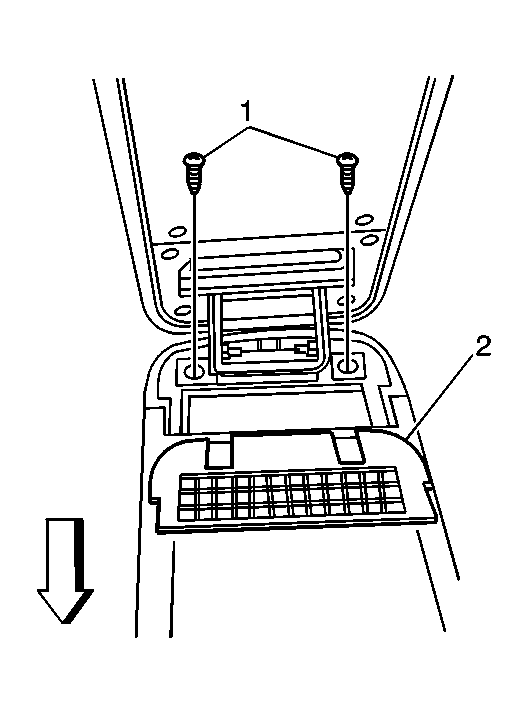
- Open the console compartment door.
- Use a flat-bladed tool in order to remove the rear air vent cover (2) from the center console.
- Remove the cellular telephone docking station, if equipped with a Cellular phone, UV8. Refer to Cellular Telephone Docking Station Replacement
in Cellular Communications.
- Remove the 2 screws (1) from the console door hinge.
- Remove the console door and the hinge assembly from the center console.
 Courtesy of GENERAL MOTORS CORP.
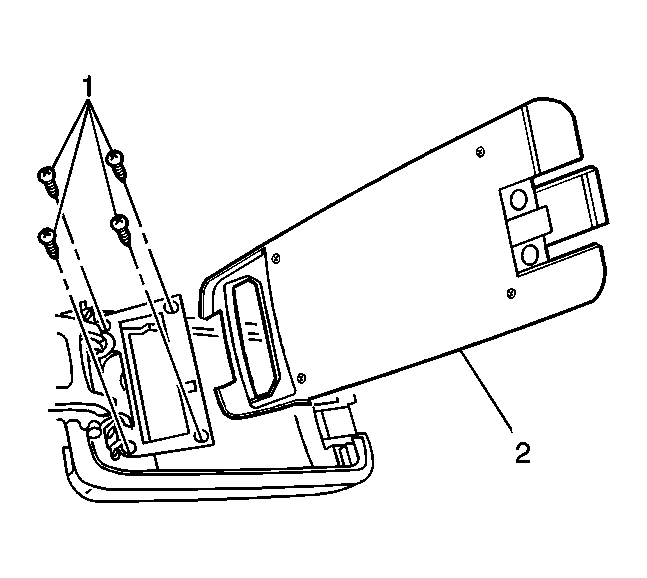
- Remove the screws (1) that retain the console tray (2) to the hinge.
- Remove the console door (2) from the hinge.
 Courtesy of GENERAL MOTORS CORP.
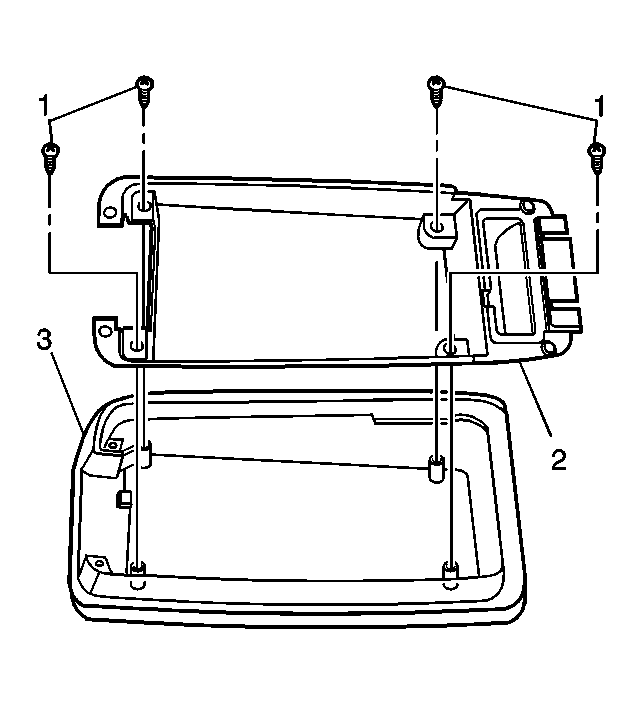
- Remove the screws (1) that retain the armrest inner trim panel (2) to the armrest.
- Remove the armrest inner trim panel (2).
 Courtesy of GENERAL MOTORS CORP.
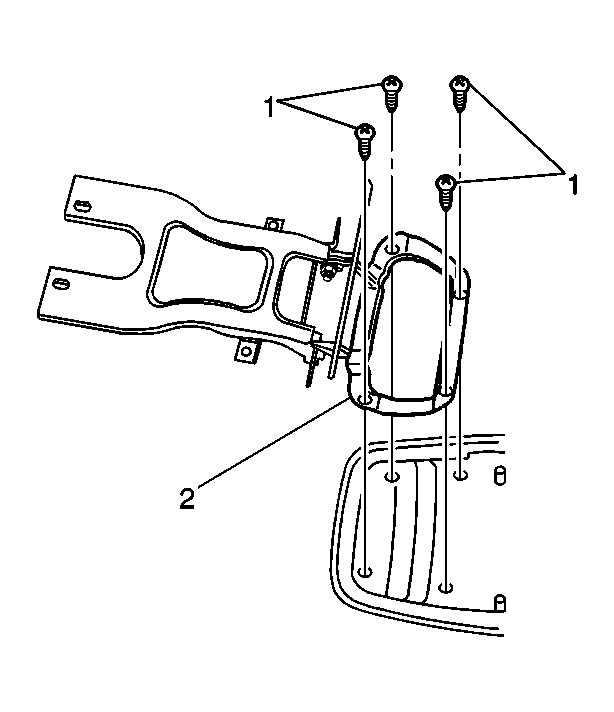
- Remove the screws (1) that secure the console door hinge (2) to the armrest.
- Remove the console door hinge (2).