Removal & Installation
- Disconnect negative battery cable. This will maintain key code. Remove instrument panel center trim plate. Remove console trim plate. Remove heater and A/C control bracket fasteners. Remove radio bracket fasteners. Disconnect electrical connectors from radio and A/C control assembly. Remove radio retaining nuts. Remove radio.
- Insert ignition key and turn to RUN position. Look through radio opening in IP and locate release button on side of switch. See Fig 1
. Depress and hold ignition lock cylinder retaining tab, located on right lower side of ignition switch, using flat bladed screwdriver or equivalent.
- Pull ignition cylinder to remove. Release retainers from ignition cylinder bezel. Slide reader/exciter and cylinder cover off from ignition cylinder. Release retainers from light pipe to cylinder. To install, reverse removal procedure.
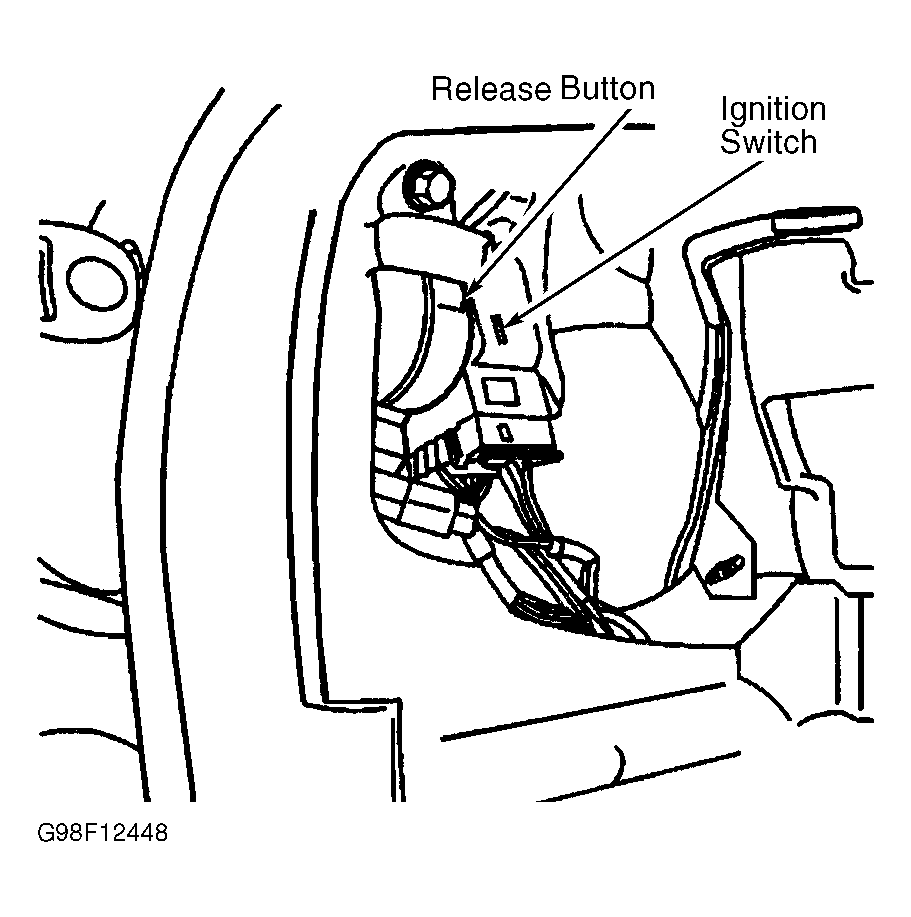 Courtesy of GENERAL MOTORS CORP.