Coaxial Cable Replacement - Digital Radio
COAXIAL CABLE REPLACEMENT - DIGITAL RADIO
REMOVAL PROCEDURE
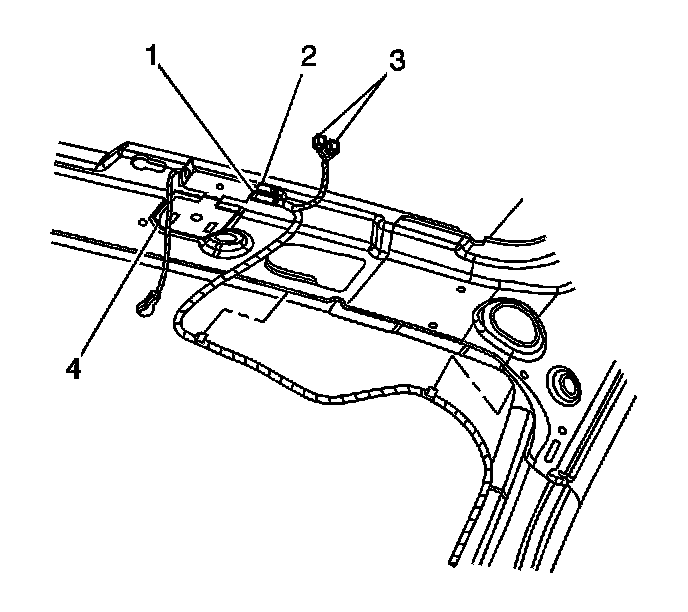
1. Remove the rear window shelf trim panel.
2. Lower the rear of the headliner. Refer to Headliner Replacement in Interior Trim.
3. Disconnect the antenna cable (3) from the antenna base cable connector.
4. Cut off the visible end of the antenna cable.
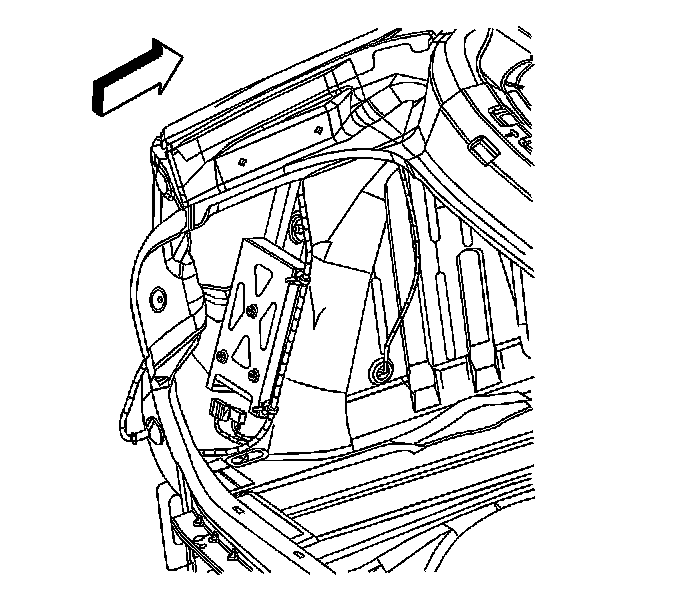
5. Adjust the left rear compartment trim panel for access.
6. Disconnect the antenna cable from the digital radio receiver.
7. Cut off the visible end of the antenna cable.
INSTALLATION PROCEDURE
1. Install the new antenna cable to the retainers on the receiver bracket.
2. Connect the antenna cable to the digital radio receiver.
3. Route the antenna cable through the rear seat back pass through into the passenger compartment. Wrap the cable and harness with tape at the pass through to avoid abrasion and rattles.
4. Secure the antenna cable to the wire harness in the rear compartment.
5. Install the rear compartment trim panel.
6. Connect the antenna cable (3) to the antenna base cable connector.
7. Secure the antenna cable to the wire harness.
8. Install the headliner.
9. Install the rear window shelf trim panel.