USB test with the (IMIB) Integrated Measurement Interface BoxR2
WARNING: This page is about a different car, the 2013 BMW X5, 2012 BMW X5, and 2011 BMW X5. However, it is still accessible from the selected car via links, so may be relevant.
The Integrated Measurement Interface Box R2 (IMIB) makes it possible to test the USB ports in the vehicle. Two tests are available for this purpose in the IMIB. The load test
is an electrical test of the USB interface, whereby only the vehicle-side voltage supply and the current level of the USB port are tested. With the media test
, various media files are made available via USB and are played back in the vehicle.
NOTE:
It is not necessary to connect the IMIB to the network or an ISID in order to carry out the USB test. The results of the USB tests are not
included in the diagnosis report. The USB tests must be used as independent tools for diagnosing vehicle belonging to the BMW group. The testing of other USB components (PC, data carriers, accessories, etc.) is not permitted and could cause permanent damage to the IMIB. The tested USB connection is only fully functional if both tests can be successfully completed. Only the load test for voltage and current (no media test) can be performed on the USB port in the glove box. If one of the two tests is not
performed successfully, a vehicle diagnosis must be carried out with the ISTA! Warranty-related invoicing can only take place after a full diagnosis has taken place.
In order to carry out the USB tests successfully, the following general conditions must be taken into consideration.
- Latest software and updates installed on the IMIB.
- Battery charger connected.
- Ignition turned on.
- Connect USB cable to IMIB (do not connect USB cable to vehicle yet!)
NOTE:
Only perform USB test with the USB cable provided in the scope of delivery of the IMIB. Always perform USB tests directly at the USB connection of the vehicle! Do not use extension cables, USB hubs etc.
The examples listed in the description only relate to tests on BMW vehicles. The system behaves identically for vehicles of the type MINI or Rolls-Royce.
Proceed as follows to perform the USB test:
In the IMIB main menu, select the bottom right menu item. Select the < USB test > menu item on the next screen mask.
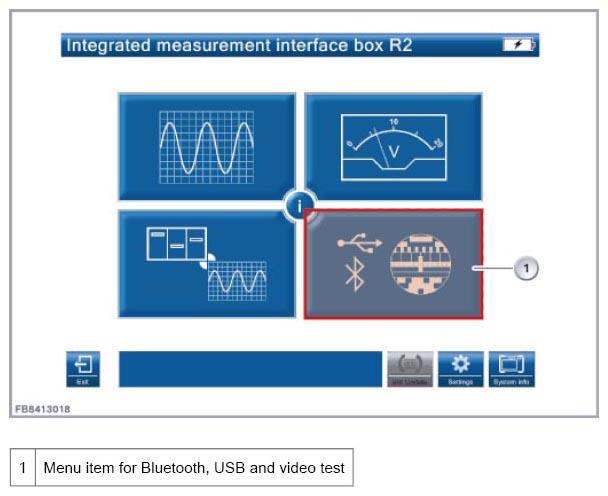 Courtesy of BMW OF NORTH AMERICA, INC.
You can change between the < Load test > and < Media test > in the lower area of the IMIB display.
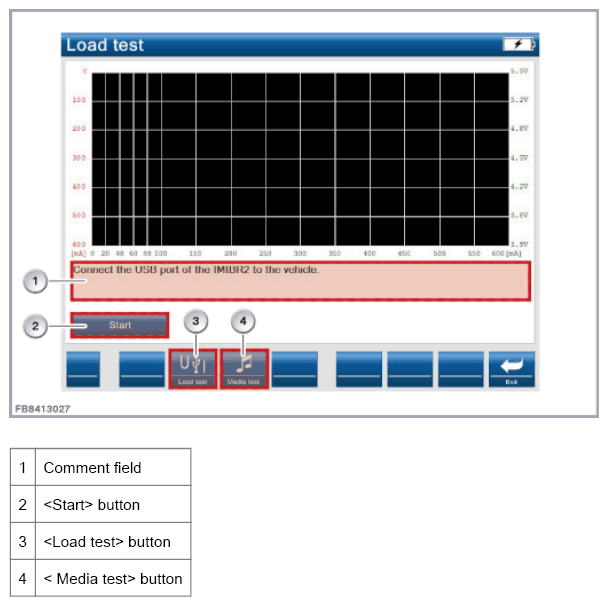 Courtesy of BMW OF NORTH AMERICA, INC.
Plug the USB cable into the USB connection of the vehicle.
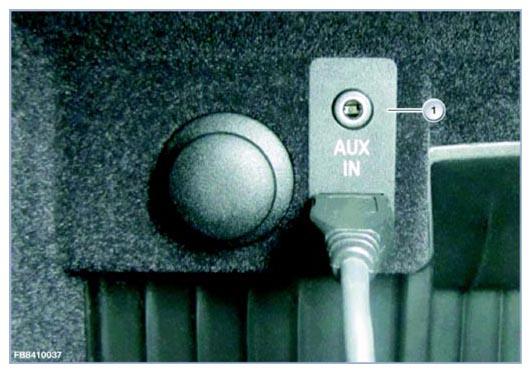 Courtesy of BMW OF NORTH AMERICA, INC.