Removal And Installation
WARNING: This page is about a different car, the 2016 Ford Expedition. However, it is still accessible from the selected car via links, so may be relevant.
Instrument panel USB cable
- 1.
Remove the Front Display Interface Module(FDIM). Refer to, Front Display Interface Module (FDIM) .
- 2.
Remove the mat.
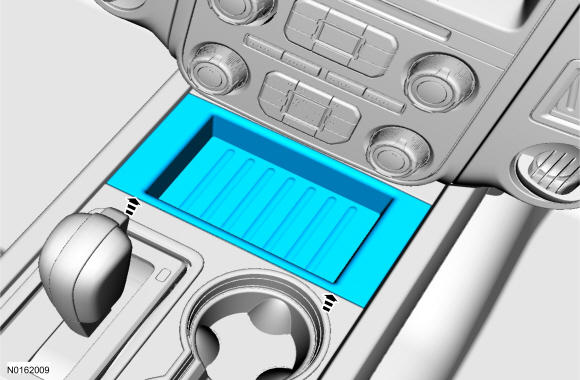 Courtesy of FORD MOTOR COMPANY Courtesy of FORD MOTOR COMPANY
|
- 3.
Remove the selector lever trim ring.
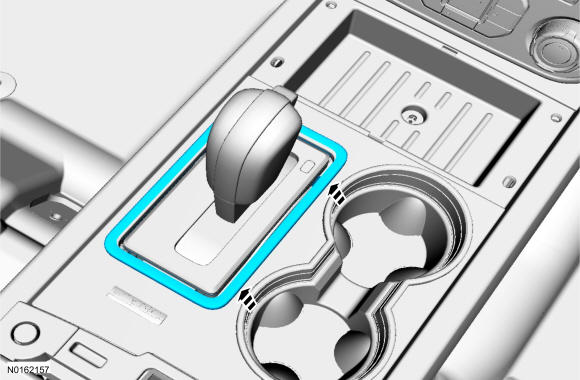 Courtesy of FORD MOTOR COMPANY Courtesy of FORD MOTOR COMPANY
|
- 4.
Remove the bolt and the floor console upper finish panel.
- Disconnect the electrical connector.
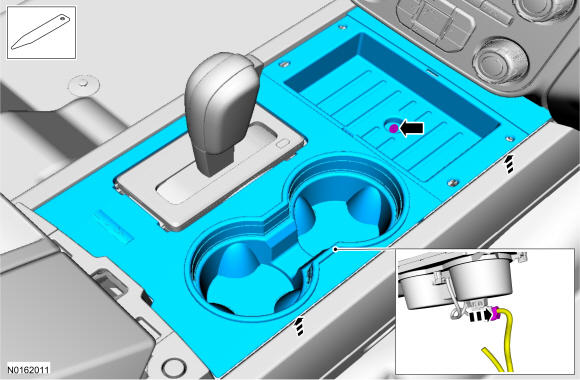 Courtesy of FORD MOTOR COMPANY Courtesy of FORD MOTOR COMPANY
|
- 5.
Remove the instrument panel Universal Serial Bus(USB) cable following the routing shown.
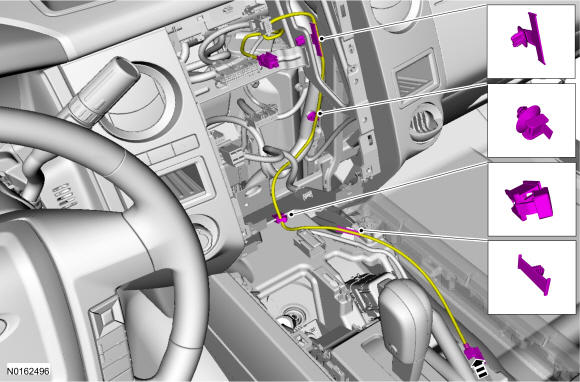 Courtesy of FORD MOTOR COMPANY Courtesy of FORD MOTOR COMPANY
|
Floor console USB cable
- 6.
Remove the Media hub. Refer to, Media Hub .
- 7.
Remove the mat.
Courtesy of FORD MOTOR COMPANY
|
- 8.
Remove the selector lever trim ring.
Courtesy of FORD MOTOR COMPANY
|
- 9.
Remove the bolt and the floor console upper finish panel.
- Disconnect the electrical connector.
Courtesy of FORD MOTOR COMPANY
|
- 10.
Remove the floor console USB cable following the routing shown.
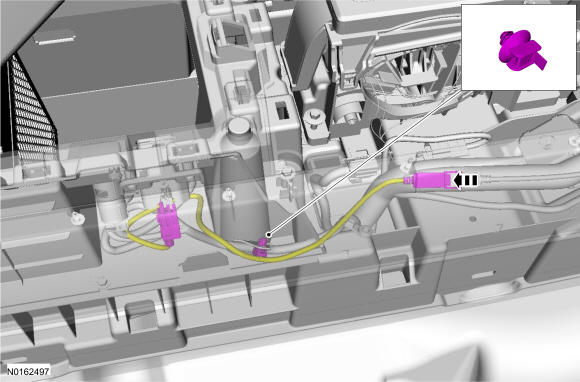 Courtesy of FORD MOTOR COMPANY Courtesy of FORD MOTOR COMPANY
|
Both USB cables
- 11.
To install, reverse the removal procedure.