Symptom Troubleshooting
Symptom Troubleshooting: Poor AM or FM radio reception or interference
Poor AM or FM radio reception or interference
NOTE:
- Check the radio reception in an open area. Poor reception/interference can be caused by any of these conditions.
- The radio station is far away.
- A tall buildings, mountains, or high-voltage power lines are nearby.
- Check the connectors for poor connections or loose terminals.
- Aftermarket window tint.
- Check the vehicle battery condition first.
1. Turn the ignition switch to ON (II).
2. Do the seek stop test Sound Quality Diagnosis - Seek Stop Test and the reception level indication in the Self-diagnostic Function. How to Troubleshoot the Audio System
Is the test vehicle within 10 % of the known-good vehicle?
YES - Multipath interference or weak station. Operation is normal.
NO - Go to step 3.
3. Check if the radio reception/interference is the same in several locations.
Is the reception/interference the same?
YES - Go to step 4.
NO - Multipath interference or weak station. Operation is normal.
4. Check the reception/interference while the engine is running.
Is there noise (static or whine) only with the engine running?
YES - Check the antenna and radio grounds. If OK, check the charging system and the ignition system.
NO - Go to step 5.
5. Turn the ignition switch to LOCK (0).
6. Remove the tailgate spoiler trim. Service and Repair
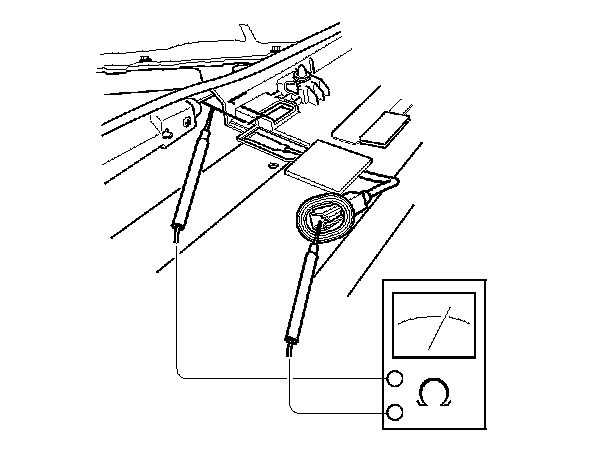
7. Touch one tester probe to the antenna element 1P connector terminal No. 1, and the other tester probe at the antenna element to check for continuity.
Is there continuity?
YES - Go to step 8.
NO - Replace rear spoiler trim.
8. Go into the self-diagnostic mode and use the Tuner communication check mode. How to Troubleshoot the Audio System
Is the tuner communication OK?
YES - Go to step 9.
NO - Audio unit is faulty, replace the audio unit.
9. Remove the audio unit. Audio Unit Removal/Installation Check that the AM/FM antenna lead and sub-lead are properly connected.
Are they connected properly?
YES - Go to step 10.
NO - Reconnect the connector, and recheck the function.
10. Disconnect the AM/FM antenna amplifier 3P connector.
11. Turn the ignition switch to ON (II).
12. Turn on the audio unit, and select AM or FM.
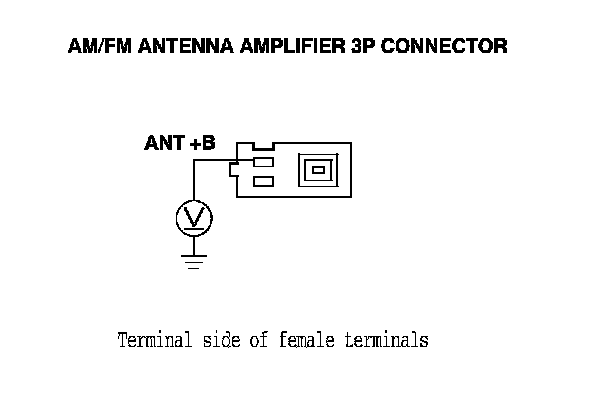
13. Measure the voltage between AM/FM antenna amplifier 3P connector terminal No. 3 and body ground.
Is there battery voltage?
YES - Go to step 20.
NO - Go to step 15.
14. Turn the ignition switch to LOCK (0).
15. Remove the audio unit. Audio Unit Removal/Installation
16. Disconnect audio unit connector H (3P).
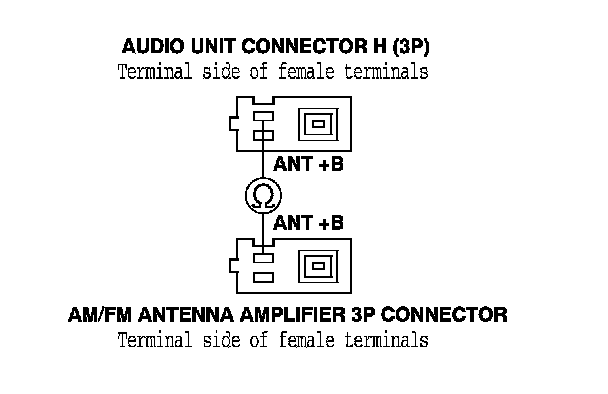
17. Check for continuity between the audio unit connector H (3P) terminal No. 3 and AM/FM antenna amplifier 3P connector terminal No. 3.
Is there continuity?
YES - Go to step 18.
NO - Repair open in the wire between audio unit and the AM/FM antenna amplifier. Also check the antenna lead/sublead connector.
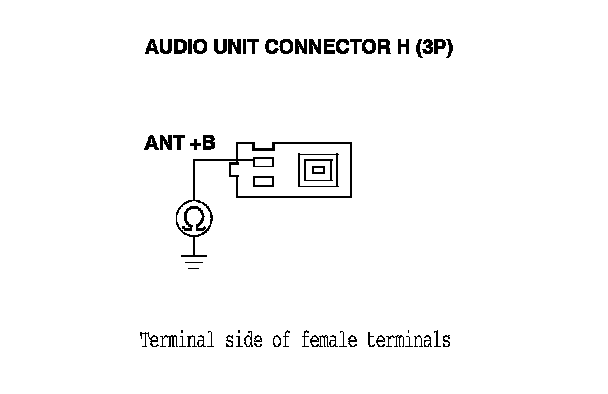
18. Check for continuity between the audio unit connector H (3P) terminal No. 3 and body ground.
Is there continuity?
YES - Repair short to body ground in the wire between audio unit and the AM/FM antenna amplifier.
NO - Audio unit is faulty, replace the audio unit. Audio Unit Removal/Installation
19. Turn the ignition switch to LOCK (0).
20. Remove the audio unit. Audio Unit Removal/Installation
21. Disconnect audio unit connector H (3P).
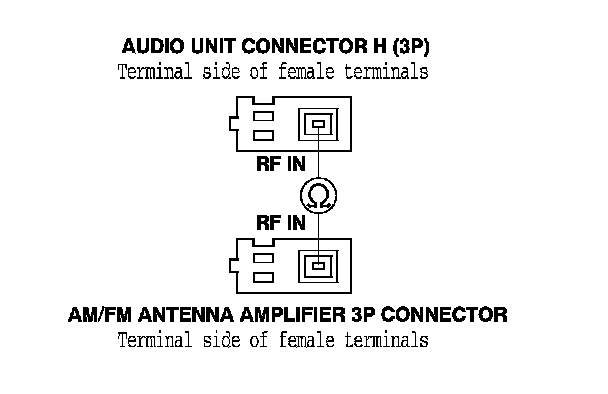
22. Check for continuity between the audio unit connector H (3P) terminal No. 1 and AM/FM antenna amplifier 3P connector terminal No. 1.
Is there continuity?
YES - Go to step 23.
NO - AM/FM antenna lead and/or sublead is faulty, replace the AM/FM antenna lead and/or the sublead.
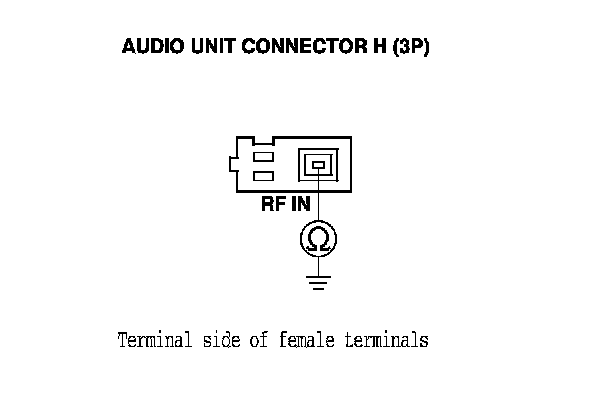
23. Check for continuity between the audio unit connector H (3P) terminal No. 1 and body ground.
Is there continuity?
YES - AM/FM antenna lead and/or sublead is faulty, replace the AM/FM antenna lead and/or the sublead.
NO - Go to step 24.
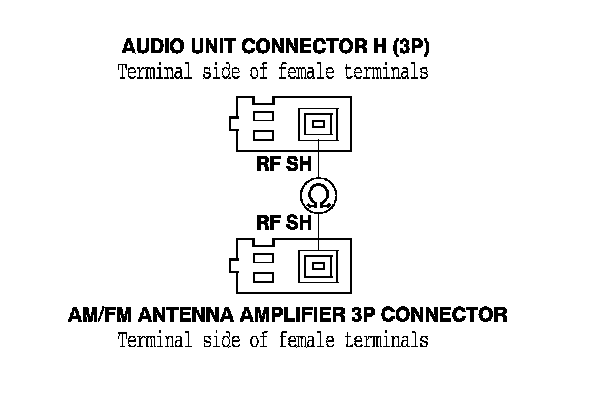
24. Check for continuity between the audio unit connector H (3P) terminal No. 2 and AM/FM antenna amplifier 3P connector terminal No. 2.
Is there continuity?
YES - Go to step 25.
NO - AM/FM antenna lead and/or sublead is faulty, replace the AM/FM antenna lead and/or the sublead.
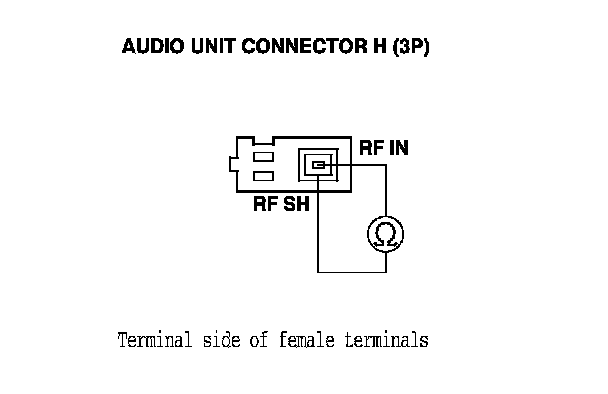
25. Check for continuity between the audio unit connector H (3P) terminals No. 1 and No. 2.
Is there continuity?
YES - Replace the AM/FM antenna, and recheck. If the reception is still poor, replace the audio unit. Audio Unit Removal/Installation
NO - AM/FM antenna lead and/or sublead is faulty, replace the AM/FM antenna lead and/or the sublead.