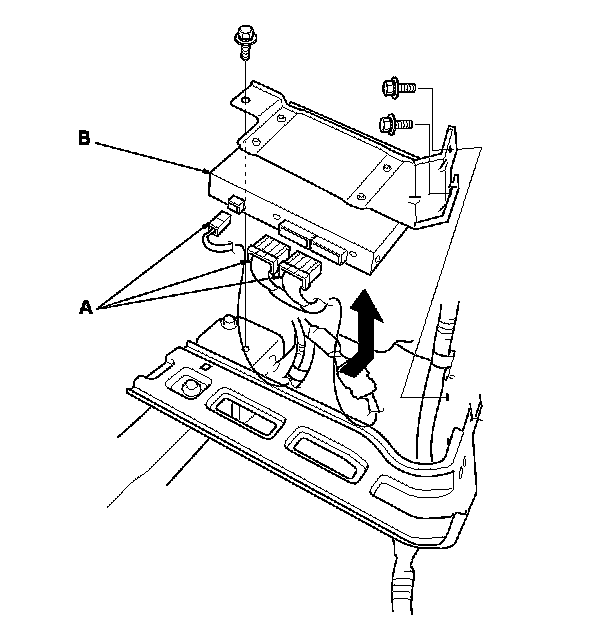
AcuraLink Control Unit (XM Receiver) Removal/Installation (With AcuraLink (USA With Navigation))
AcuraLink Control Unit (XM Receiver) Removal/Installation
With AcuraLink:
NOTE: The AcuraLink must be reactivated by Acura Client Services when:
- The AcuraLink control unit (XM receiver) is replaced.
- DATA RESET was selected while in the self-diagnostic function.
- Vehicle ownership changes.
1. Remove the right rear side trim panel. Interior Trim Removal/Installation - Rear Side Area
2. Disconnect the connectors (A), then remove the bolts and pull out the AcuraLink control unit (XM receiver) (B).
3. Install the AcuraLink control unit (XM receiver) in the reverse order of removal.
NOTE: If you replaced the AcuraLink control unit, make sure it has the latest software. Programming and Relearning