61-2x
SRS DTC Troubleshooting: 61-2x (x can be 0 thru 9 or A thru F)
DTC 61-2x ("x" can be 0 thru 9 or A thru F):Short in Driver's Seat Belt Buckle Switch
NOTE: Before doing this troubleshooting procedure, review SRS Precautions and Procedures Service and Repair and General Troubleshooting Information. Initial Inspection and Diagnostic Overview
1. Clear the DTC memory. Initial Inspection and Diagnostic Overview
2. Turn the ignition switch to ON (II), then buckle and unbuckle the driver's seat belt several times.
3. Read the DTC. Initial Inspection and Diagnostic Overview
Is DTC 61-2x indicated?
YES - Go to step 4.
NO - Intermittent failure, the system is OK at this time. Go to Troubleshooting Intermittent Failures. Initial Inspection and Diagnostic Overview If another DTC is indicated, troubleshoot the DTC.
4. Turn the ignition switch to LOCK (0).
5. Disconnect the driver's seat wire harness 3P connector from the driver's seat belt buckle switch 3P connector (A).
6. Turn the ignition switch to ON (II).
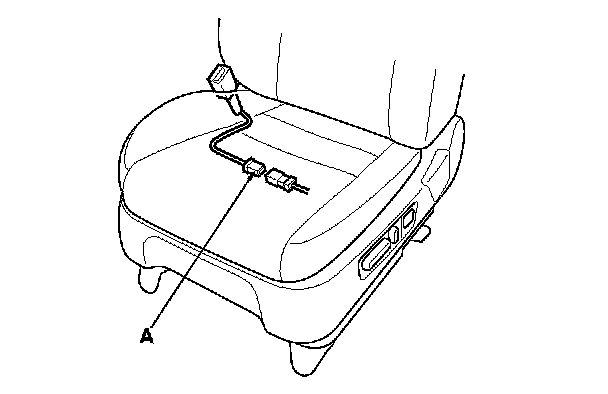
7. From the system selection menu on the HDS, select SRS, then select SRS again, then select PARAMETER INFORMATION, then Buckle Switch, Seat Position Sensor, and Check the status on the HDS screen for FRONT LEFT SEAT BELT BUCKLE SWITCH.
Is OPEN indicated on the HDS?
YES - Replace the driver's seat belt buckle assembly, Front Seat Belt Replacement then clear the DTC.
NO - Short to ground in the driver's seat wire harness or floor wire harness; replace the faulty wire harness.