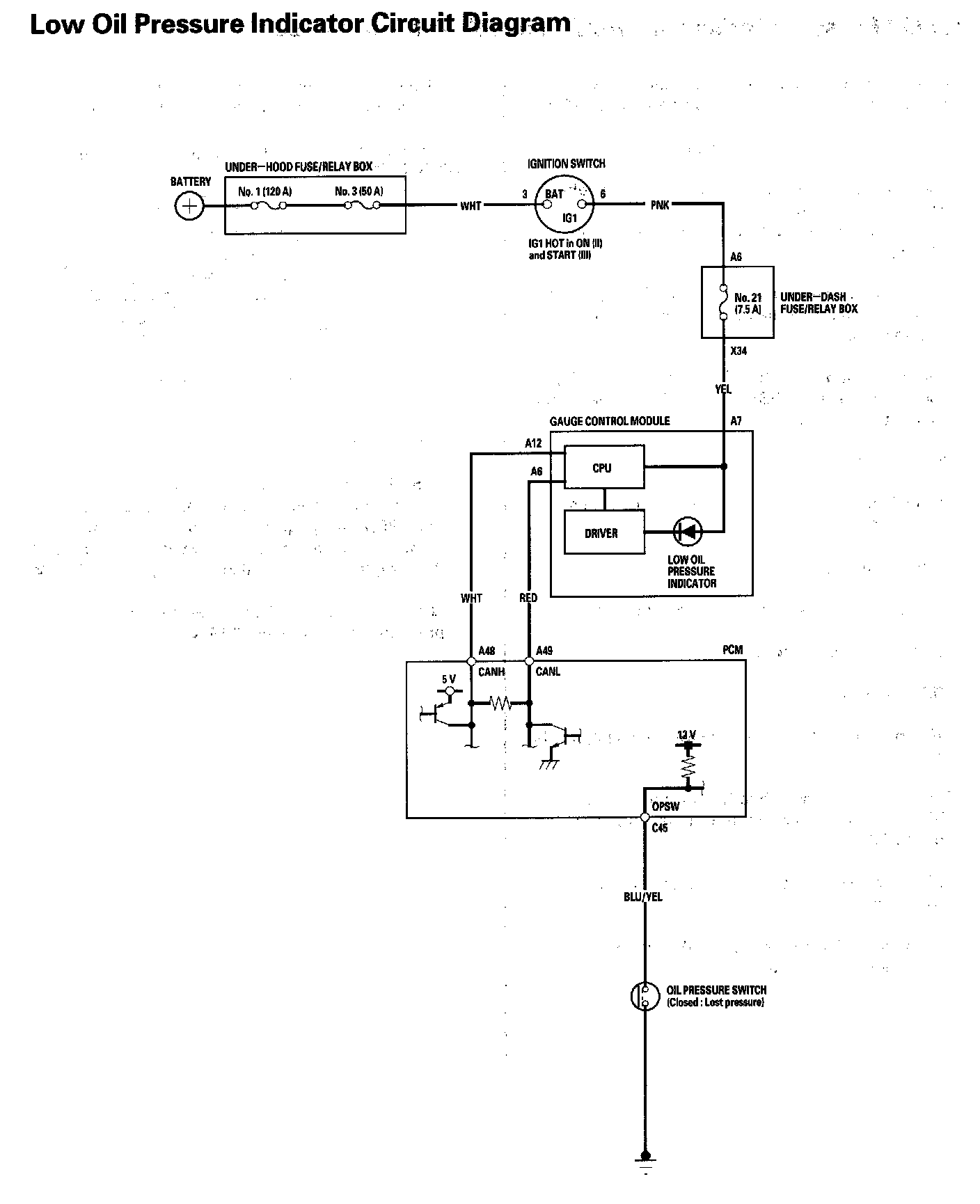
Low Oil Pressure Indicator Circuit Troubleshooting (Open)
Low Oil Pressure Indicator Circuit Troubleshooting (Open)1. Connect the Honda Diagnostic System (HDS) to the data link connector (DLC).
2. Turn the ignition switch to ON (II).
3. Make sure the HDS communicates with the vehicle and the powertrain control module (PCM). If it doesn't, troubleshoot the DLC circuit.
4. Check for DTCs. If a DTC is present, diagnose and repair the cause before continuing with this test.
5. Turn the ignition switch to ON (II), select PGM-FI, and check the OIL PRESSURE SWITCH in the DATA LIST with the HDS.
Is ON indicated?
YES - Replace the gauge control module.
NO - Go to step 6.
6. Check the oil pressure switch.
Is the oil pressure switch OK?
YES - Go to step 7.
NO - Replace the oil pressure switch.
7. Turn the ignition switch to ON (II), and jump the SCS line with the HDS, then turn the ignition switch to LOCK (0).
NOTE: This step must be done to protect the PCM from damage.
8. Disconnect PCM connector C (49P) and the oil pressure switch connector.
9. Check for continuity between PCM connector terminal C45 and the oil pressure switch connector.
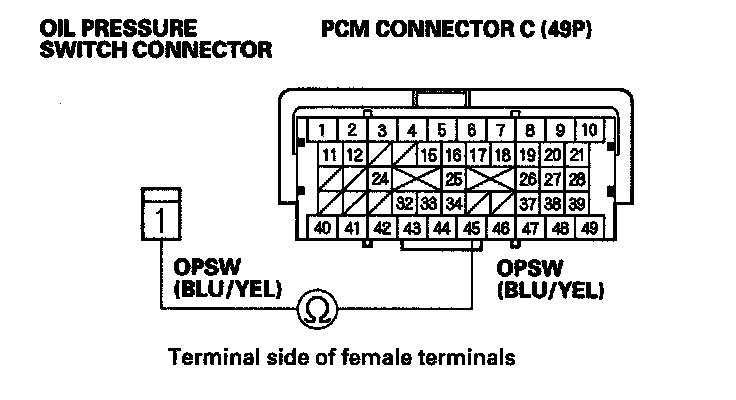
Is there continuity?
YES - Update the PCM if it does not have the latest software, or substitute a known-good PCM, then recheck. If the symptom/indication goes away with a known-good PCM, replace the original PCM.
NO - Repair open in the wire between the oil pressure switch and the PCM.
Low Oil Pressure Indicator Circuit Diagram: