Driver's Inner Dashboard Trim Removal/Installation
Driver's Inner Dashboard Trim Removal/InstallationSpecial Tools Required
KTC trim tool set SOJATP2014 *
* Available through the American Honda Tool and Equipment Program.
NOTE:
- Take care not to scratch the dashboard and its related parts.
- Use the appropriate tool from the KTC trim tool set to avoid damage when removing components.
1. Remove the driver's inner dashboard trim (A).
1. Gently pull out along the edge beside the audio unit by hand to release the lower hooks (B) and the clip (C).
2. Detach the upper clips (D).
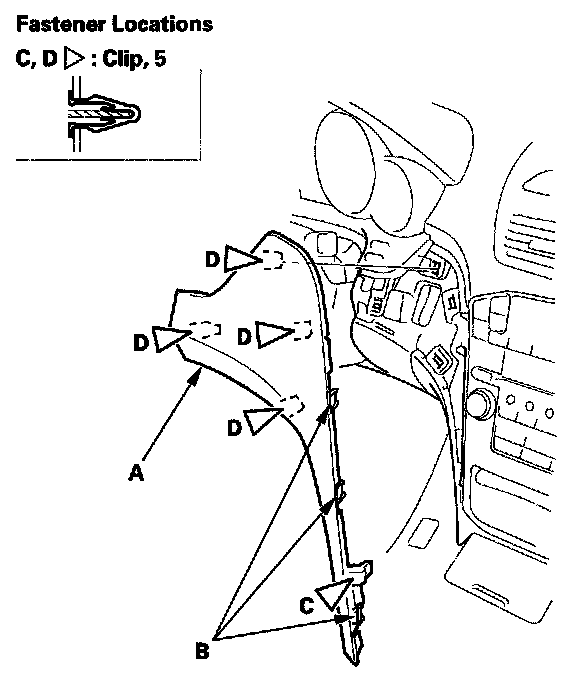
2. Install the trim in the reverse order of removal, and note these items:
- If the clips are damaged or stress-whitened, replace them with new ones.
- Position the hooks first on installation, then move the clips into place.
- Push the clips and hooks into place securely.