Center Console Panel Pocket Replacement
Center Console Panel Pocket ReplacementSpecial Tools Required
KTC trim tool set SOJATP2014 *
* Available through the American Honda Tool and Equipment Program.
NOTE:
- Take care not to scratch the pocket.
- Use the appropriate tool from the KTC trim tool set to avoid damage when removing components.
1. Remove the center console.
2. Remove the center console panel.
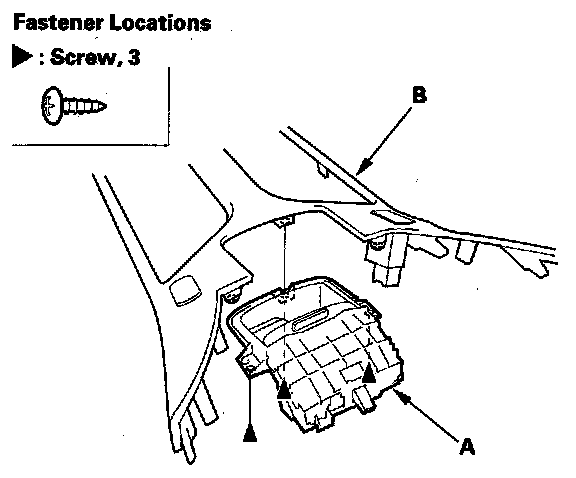
3. Remove the screws, then remove the console pocket (A) from the console panel (B).
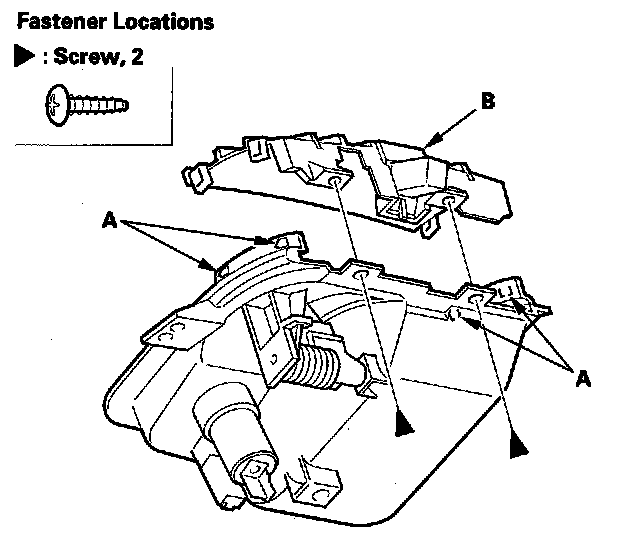
4. Remove the screws and release the tabs (A), then remove the upper lid (B).
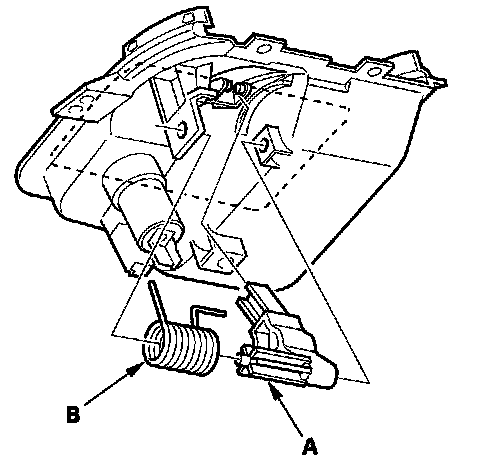
5. Remove the arm (A) and the spring (B).
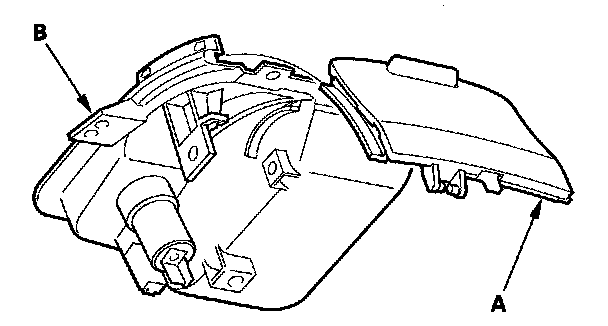
6. Remove the console pocket lid (A) from the console pocket (B).
7. Install the pocket in the reverse order of removal, and apply oil to entire rail area of the arm.