Wireless headphones do not work or there is static in DVD mode
Wireless headphones do not work or there is static in DVD modeNOTE: Check the battery condition first.
1. Check the diagnosis menu 1. CONNECT and 2. UNIT CHECK of the rear entertainment system self-diagnostic.
If the self-diagnostic status indicator OK (Green color)?
YES - Go to the Wireless headphone sound is weak, distorted, volume does not change, or there is no sound in all modes.
NO - Go to step 2.
2. Remove the audio unit.
3. Check that the digital audio lead at audio unit connector F (2P) is properly connected to the audio unit.
Is the digital audio lead at audio unit connector F (2P) connected properly?
YES - Go to step 4.
NO - Reconnect the audio unit connector F (2P) and recheck the wireless headphone function.
4. Remove the rear controller and screen.
5. Check the digital audio lead at rear controller and screen connector B (2P) is properly connected to the rear controller and screen.
Is the lead at screen connector B (2P) properly?
YES - Go to step 6.
NO - Reconnect the audio unit connector F (2P) and recheck the wireless headphone function.
6. Disconnect the audio unit connector F (2P) from the audio unit and the rear controller and screen.
7. Check for continuity in the digital audio lead between the audio unit connector F (2P) No. 1 terminal and the rear controller and screen connector B (2P) No. 1 terminal.
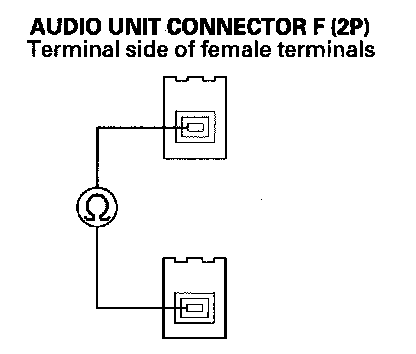
Is there continuity?
YES - Go to step 8.
NO - Replace the digital audio lead.
8. Check for continuity in the digital audio lead between the audio unit connector F (2P) No. 1 terminal and body ground.
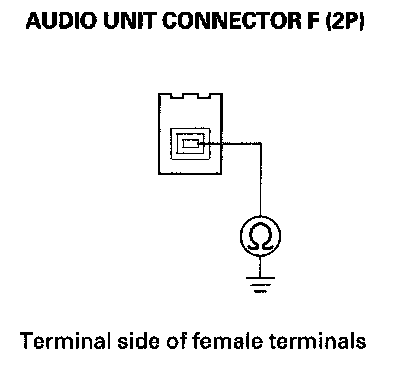
Is there continuity?
YES - Replace the digital audio lead and/or sublead.
NO - Go to step 9.
9. Check for continuity in the digital audio lead between the audio unit connector F (2P) No. 1 terminal and No. 2 terminal.
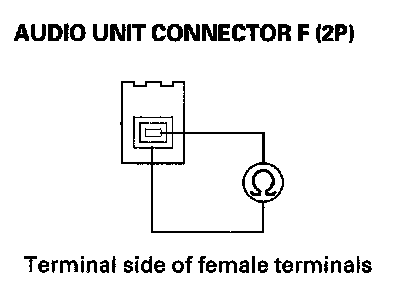
Is there continuity?
YES - Replace the digital audio lead.
NO - Go to step 10.
10. Substitute a known-good audio unit and recheck the wireless headphone function.
Do the wireless headphones work in DVD mode?
YES - Replace the original audio unit.
NO - Replace the rear controller and screen.