Accessory Control Display: Service and Repair
Interface Dial Removal/Installation1. Remove the audio unit.
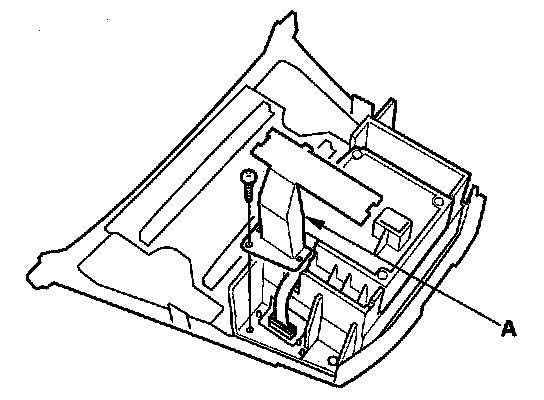
2. Remove the harness cover (A).
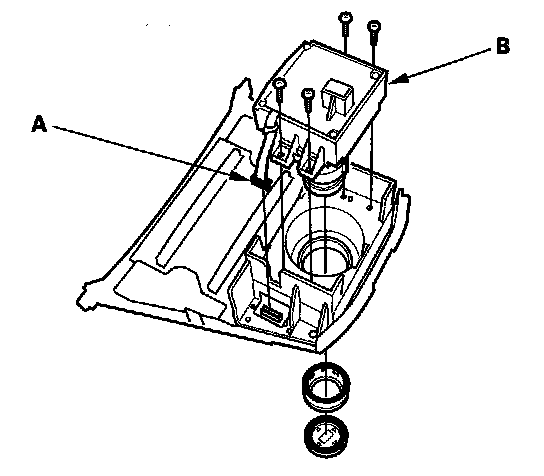
3. Disconnect the interface dial connector (A), then remove the interface dial (B).
NOTE: If the hard buttons do not work, but the jog dial does, recheck the interface dial connector (A) connection.
4. Install the dial in reverse order of removal.