Starting Procedure For Diagnostic Mode [Car-Navigation System]
STARTING PROCEDURE FOR DIAGNOSTIC MODE [CAR-NAVIGATION SYSTEM]
1. Switch the ignition to ACC or ON.
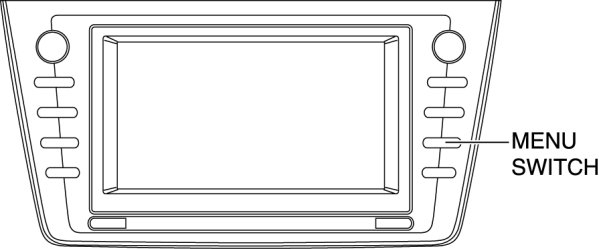
2. Press the MENU switch (panel switch).
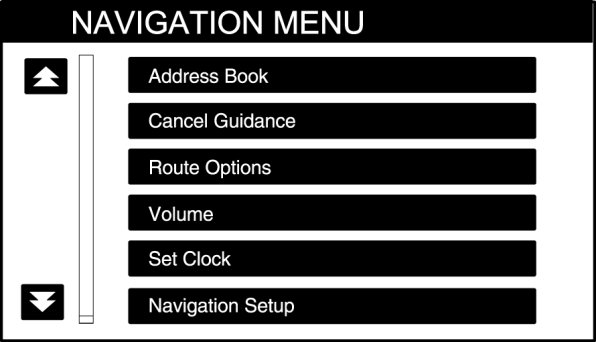
3. Select "Navigation Setup".
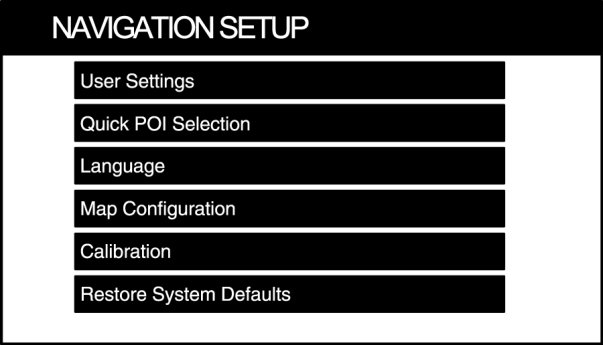
4. Select "Calibration".
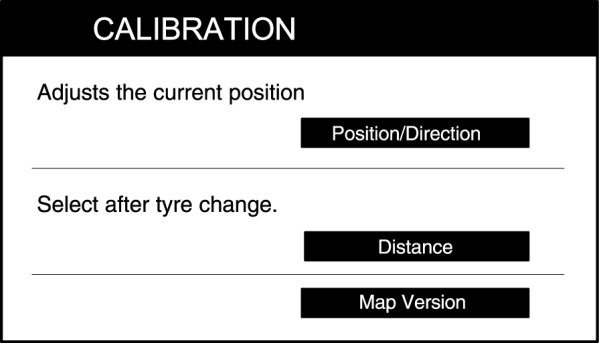
5. Select "Map Version".
6. Press the A portion of the MAP VERSION screen two times.
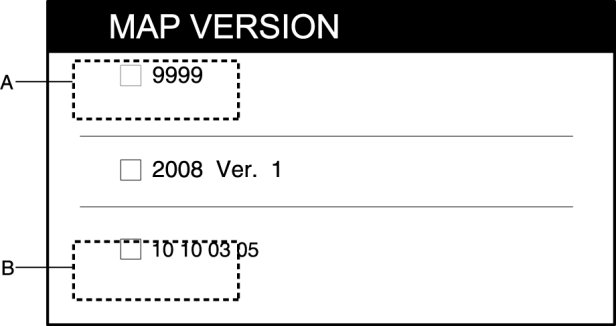
7. Press the B portion of the MAP VERSION screen two times.
8. Select "Menu".
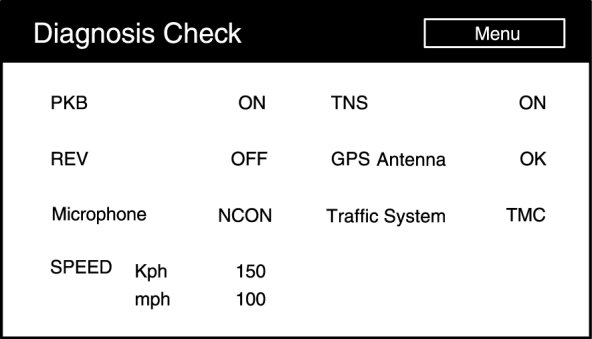
9. Select the items to be inspected from the diagnosis menu. Diagnostic Check [Car-Navigation System]
10. To stop the diagnostic mode, ignition is switched to off.