Reading and Clearing Diagnostic Trouble Codes
CLEARING DTC
Clearing DTCs Procedures
1. Connect the M-MDS to the DLC-2.
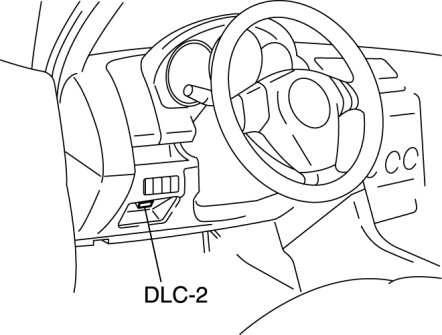
2. After the vehicle is identified, select the following items from the initialization screen of the M-MDS.
- When using the IDS (laptop PC)
1 Select "Self Test".
2 Select "Modules".
3 Select "RCM".
- When using the PDS (Pocket PC)
1 Select "Module Tests".
2 Select "RCM".
3 Select "Self Test".
3. Verify the DTC according to the directions on the screen.
4. Press the clear button on the DTC screen to clear the DTC.
5. Verify that no DTCs are displayed.