Navigation Display Appears On Multi-Display, But Does Not Appear Or Is Not Stabilized On Television Display
AUDIO / VIDEO: REAR SEAT ENTERTAINMENT SYSTEM: Navigation Display Appears on Multi-display, But does not Appear or is not Stabilized on Television Display
Navigation Display Appears on Multi-display, But does not Appear or is not Stabilized on Television Display
INSPECTION PROCEDURE
HINT:
- When the navigation image is displayed on the television display, if the image of the multi-display changes to the camera image or intuitive parking assist image, the television display will change to the image displayed before changing to the navigation image.
- If the vehicle has a navigation system, "multi-display" refers to the "display and navigation module display".
PROCEDURE
1. CHECK REMOTE COMMANDER (DISPLAY CHECK MODE)
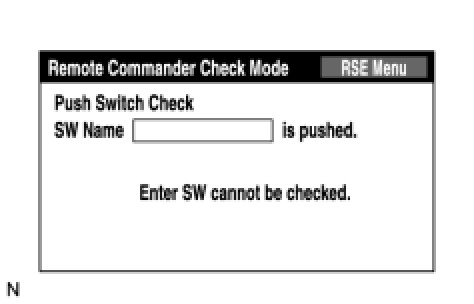
(a) Enter the "Display Check" mode (Remote Commander Check Mode) Display Check Mode.
(b) Operate the abnormal switch and check if the switch name and status are correctly displayed.
OK:
The switch name and status are correctly displayed as operated.
NG -- CHECK REMOTE CONTROLLER (for BATTERY)
OK -- REPLACE MULTI-DISPLAY SELECTOR
2. CHECK REMOTE CONTROLLER (for BATTERY)
(a) Check that the dry-cell battery of the remote controller is not depleted.
OK:
Battery is not depleted.
NG -- REPLACE REMOTE CONTROLLER BATTERY
OK -- GO TO DISPLAY SIGNAL CIRCUIT BETWEEN MULTI-DISPLAY AND TELEVISION DISPLAY ASSEMBLY