DTC 58-42
NAVIGATION / MULTI INFO DISPLAY: NAVIGATION SYSTEM: 58-42: Map Disc Read Error
DTC 58-42 - Map Disc Read Error
DTC 80-42 - Map Disc Read Error
DESCRIPTION

INSPECTION PROCEDURE
HINT:
After the inspection is completed, clear the DTCs Reading and Clearing Diagnostic Trouble Codes.
PROCEDURE
1. CHECK HDD INFORMATION (NAVIGATION CHECK MODE)
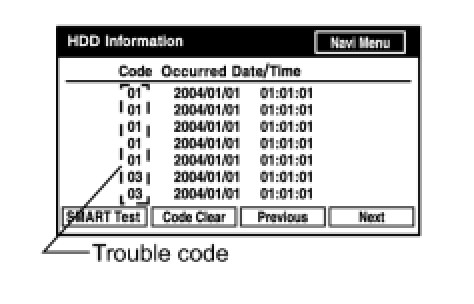
(a) Enter the "Navigation Check" mode and select "HDD Information" Operation Check.
(b) Check for trouble codes.
OK:
Trouble code is not output.
NG -- TROUBLESHOOT ACCORDING TO THE DISPLAYED TROUBLE CODE
OK -- Continue to next step.
2. CHECK SMART TEST
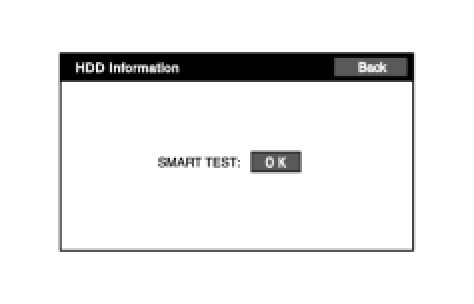
(a) Press the "SMART Test" switch, and check the SMART TEST result screen.
HINT:
- It takes approximately 90 seconds for the check to complete.
- If the SMART Test result is NG, the HDD is malfunctioning.
- If the temperature is low (less than -20°C (-4°F)) or high (65°C (149°F) or more), and the HDD cannot read or write, NG may be displayed.
OK:
OK is displayed.
NG -- REPLACE DISPLAY AND NAVIGATION MODULE DISPLAY
OK -- Continue to next step.
3. CLEAR DTC
(a) Clear DTCs Reading and Clearing Diagnostic Trouble Codes.
NEXT -- Continue to next step.
4. RECHECK DTC
(a) Recheck for DTCs and check if the same trouble code is output.
OK:
No DTC is output.
NG -- REPLACE DISPLAY AND NAVIGATION MODULE DISPLAY
OK -- USE SIMULATION METHOD TO CHECK