Navigation System: Service and Repair
DVD-ROM Replacement
NOTE:
- Check any official Honda service website for more service information about the navigation system and software updates.
- Do not replace the navigation DVD to give a customer a preview of an updated navigation DVD.
1. Turn the ignition switch to ON (II).
2. Open the front cover (A) of the navigation unit (B) located under the driver's seat.
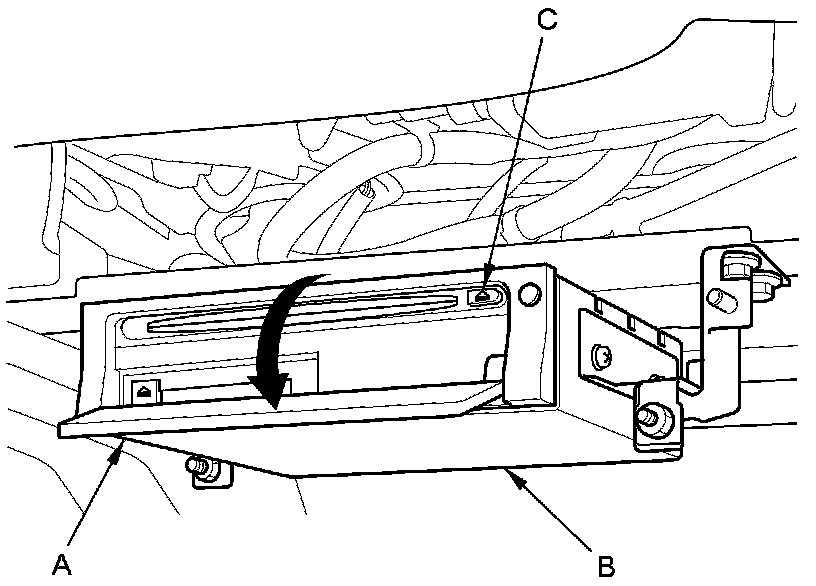
3. Press the EJECT button (C), then remove the DVD.
4. Insert the new navigation DVD with the white label facing up.
5. Close the front cover. Do not turn the ignition switch to LOCK (0); watch the navigation screen until the data is downloaded to navigation unit.
6. Do the Map Matching.
NOTE: After servicing, the front cover must be closed.