Immobilizer System Status Log
Immobilizer System Status Log
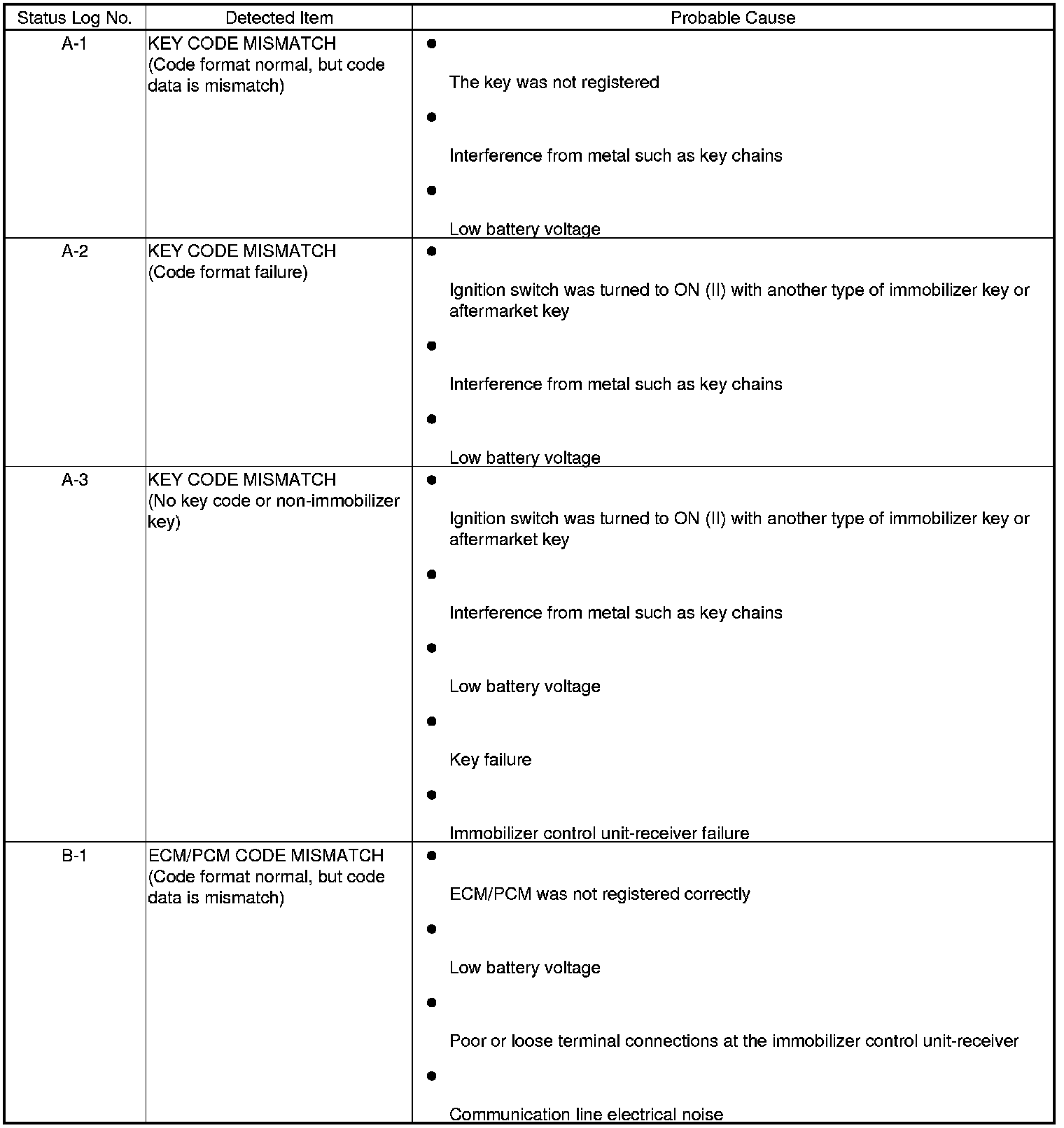
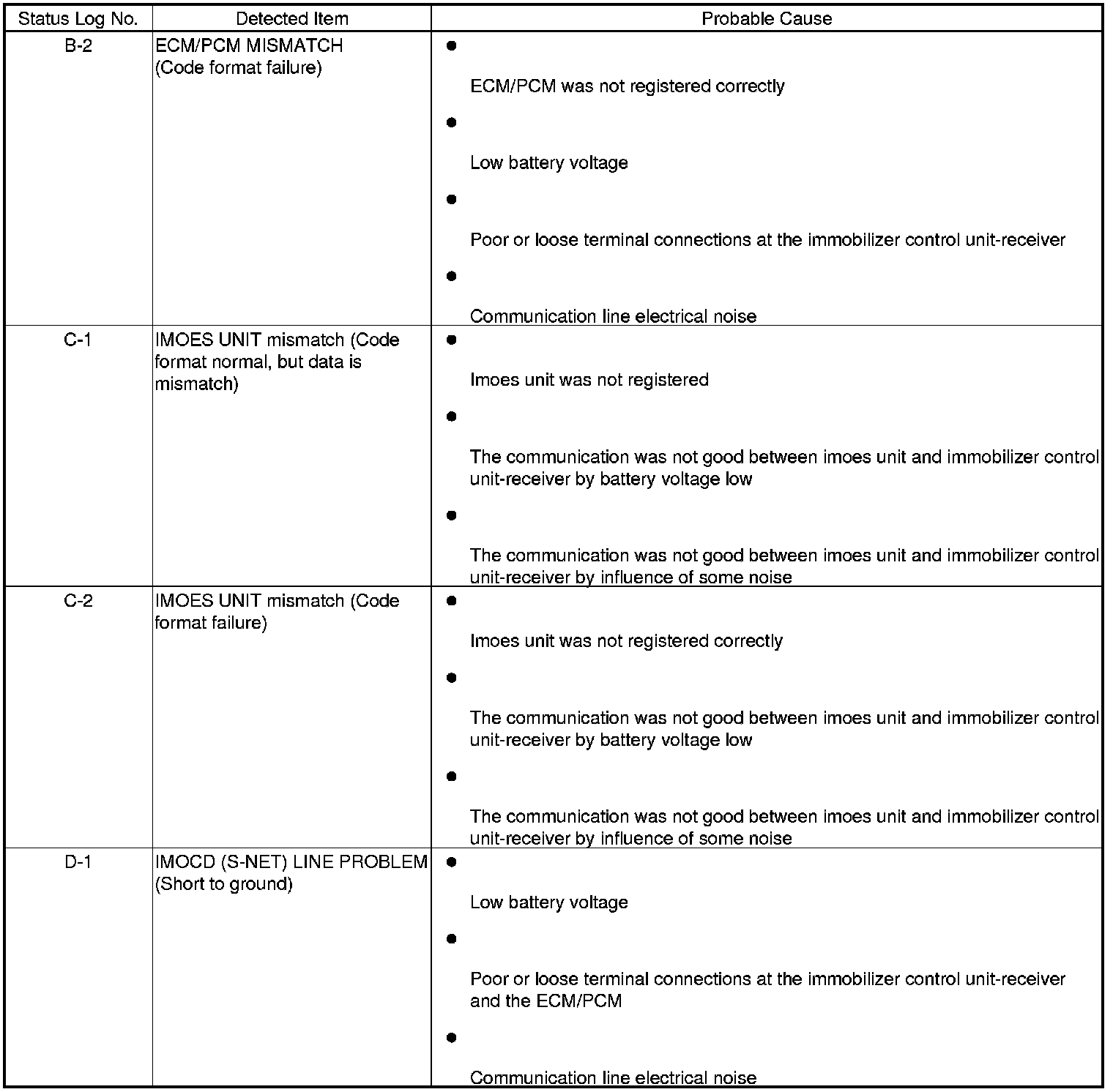
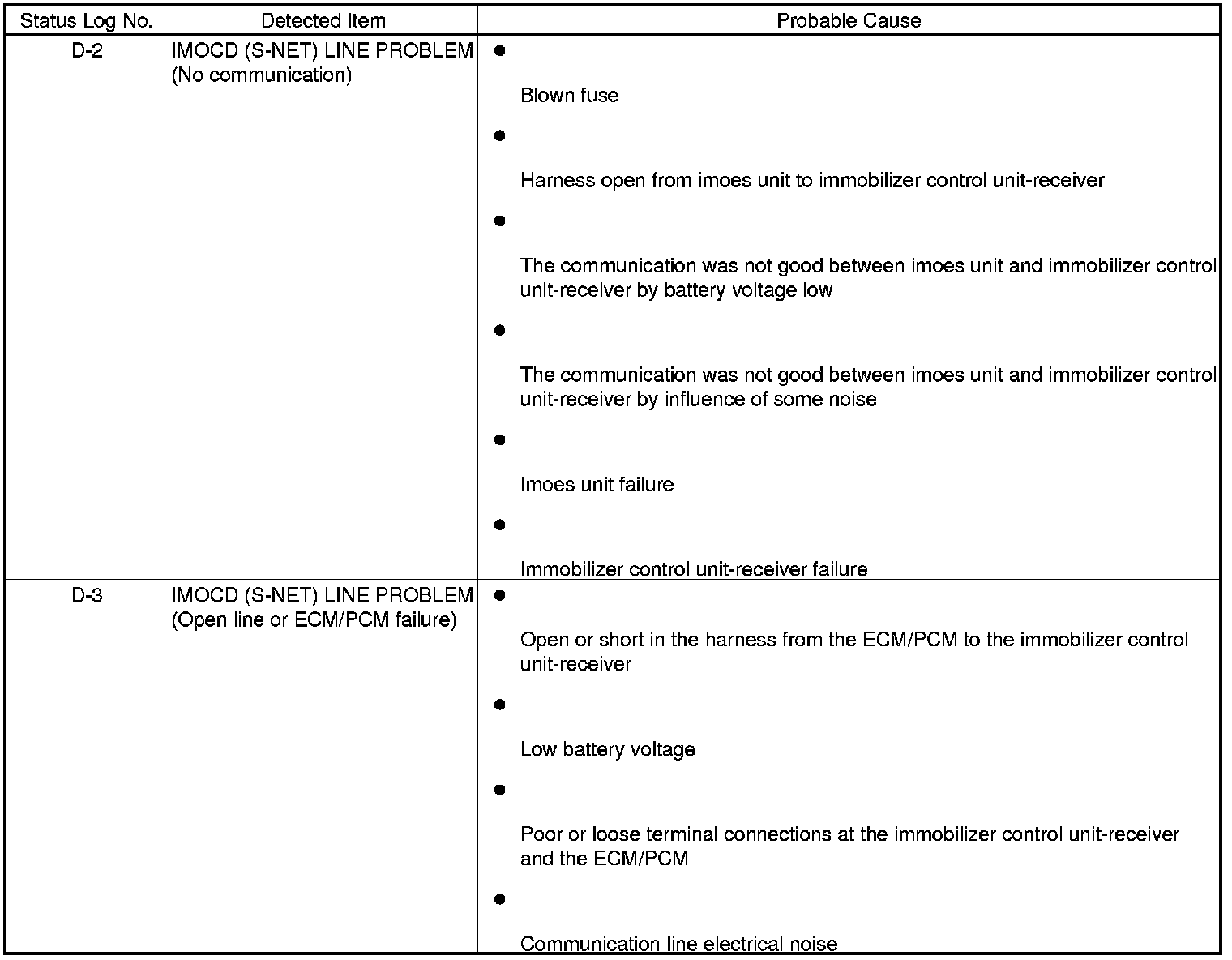
If you suspect there is a immobilizer system problem, check the status log in the HDS.
1. Connect the HDS to the data link connector (DLC).
2. Turn the ignition switch to ON (II).
3. On the HDS screen, at MAIN MENU, enter IMMOBI, then select IMMOBILIZER SETUP, select IMMOBILIZER INFORMATION, then select STATUS LOG.
4. Check the STATUS LOG count. Troubleshoot the status with the highest count first. If no counts are listed, the immobilizer system is OK. Continue with normal symptom troubleshooting.