Checking Engine Oil Pressure
CHECKING ENGINE OIL PRESSURE
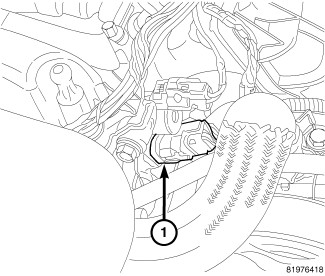
NOTE: Anytime the oil temperature sensor is removed, it should be replaced with a new sensor.
1. Disconnect and remove oil temperature sensor (1).
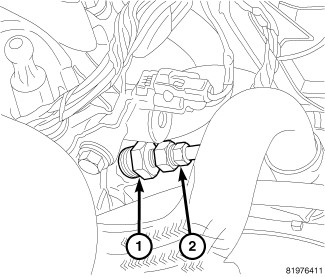
CAUTION: Threads in cylinder head are British Standard Pipe (BSP). Do not install a NPT threaded adapter, this could crack the cylinder head.
2. Install threaded adapter 9879 (1).
3. Install oil pressure gauge (2).
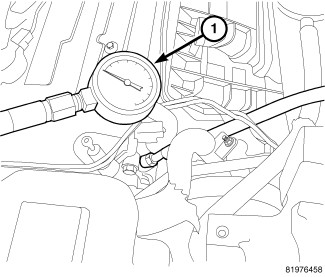
4. Start engine and record reading on oil pressure gauge (1).
CAUTION: If oil pressure is 0 at idle, do not perform the 3000 RPM test
5. If oil pressure is 0 at idle, shut off engine. Check for pressure relief valve stuck open, a clogged oil pick-up screen.
6. Remove oil pan and inspect for debrisEngine Oil Pan - Removal.
7. Remove oil pressure relief valveOil Pressure Relief Valve - Removal. and
8. Inspect oil pressure relief valveProcedures if damaged replace.
9. If pressure relief valve is ok, replace balance shaft module assemblyEngine Oil Pan - Removal.
10. After test is complete, remove oil pressure gauge (2) and adapter 9879 (1).
11. Install a new oil pressure temperature sensor (1) and connect electrical connector.