Immobilizer System Check
Immobilizer System Check
1. Connect the HDS to the data link connector.
2. Turn the ignition switch to ON (II).
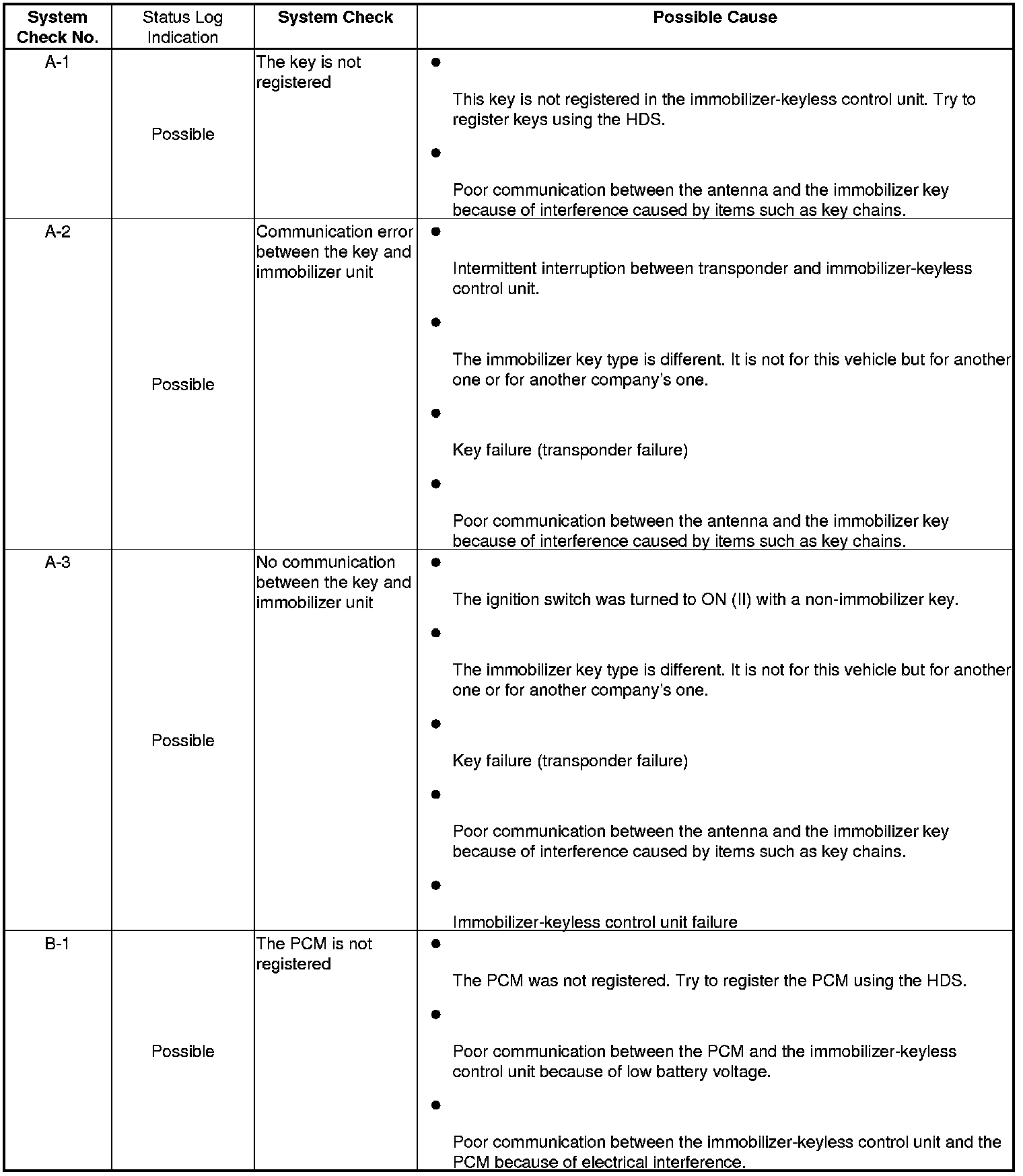
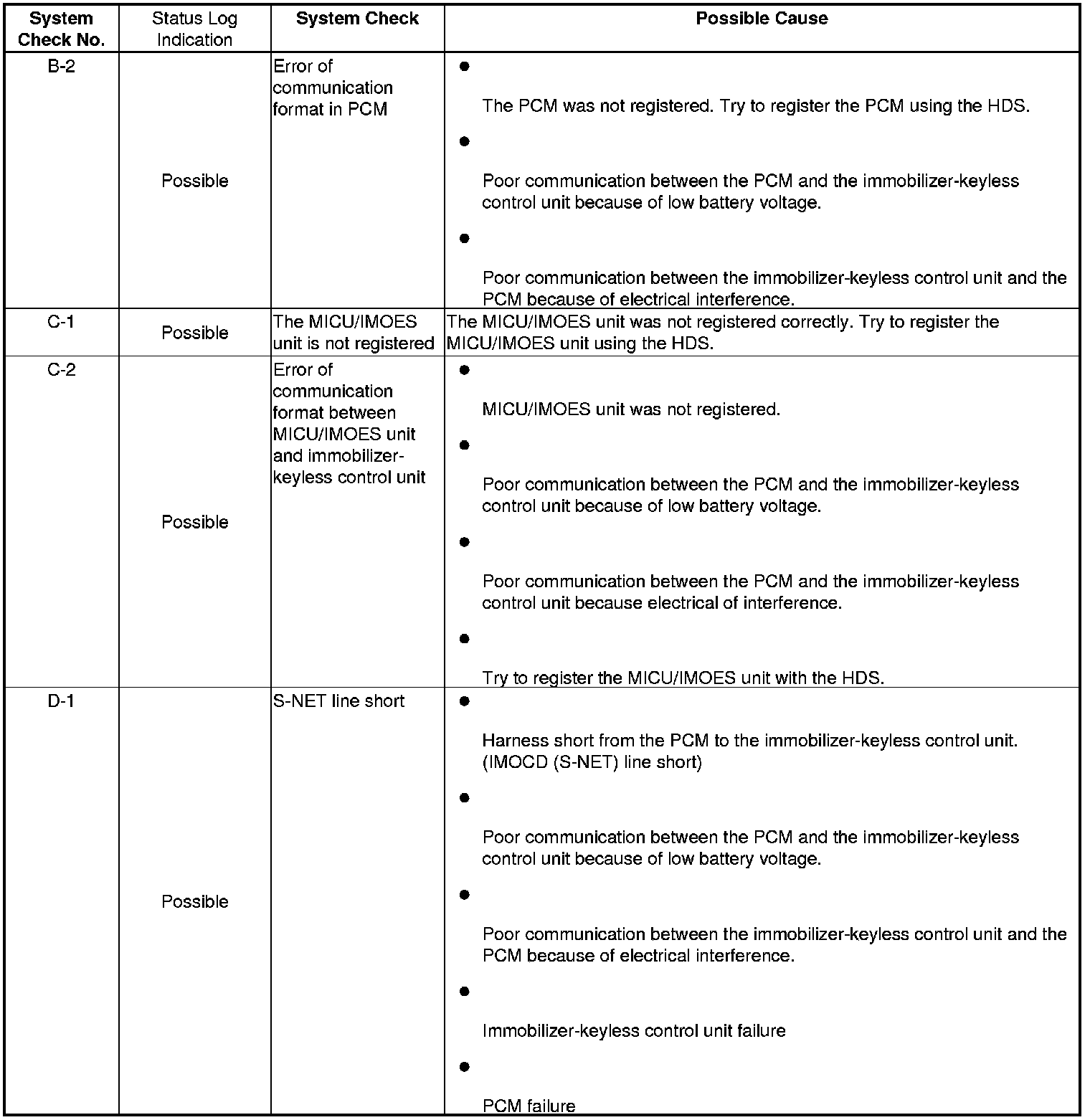
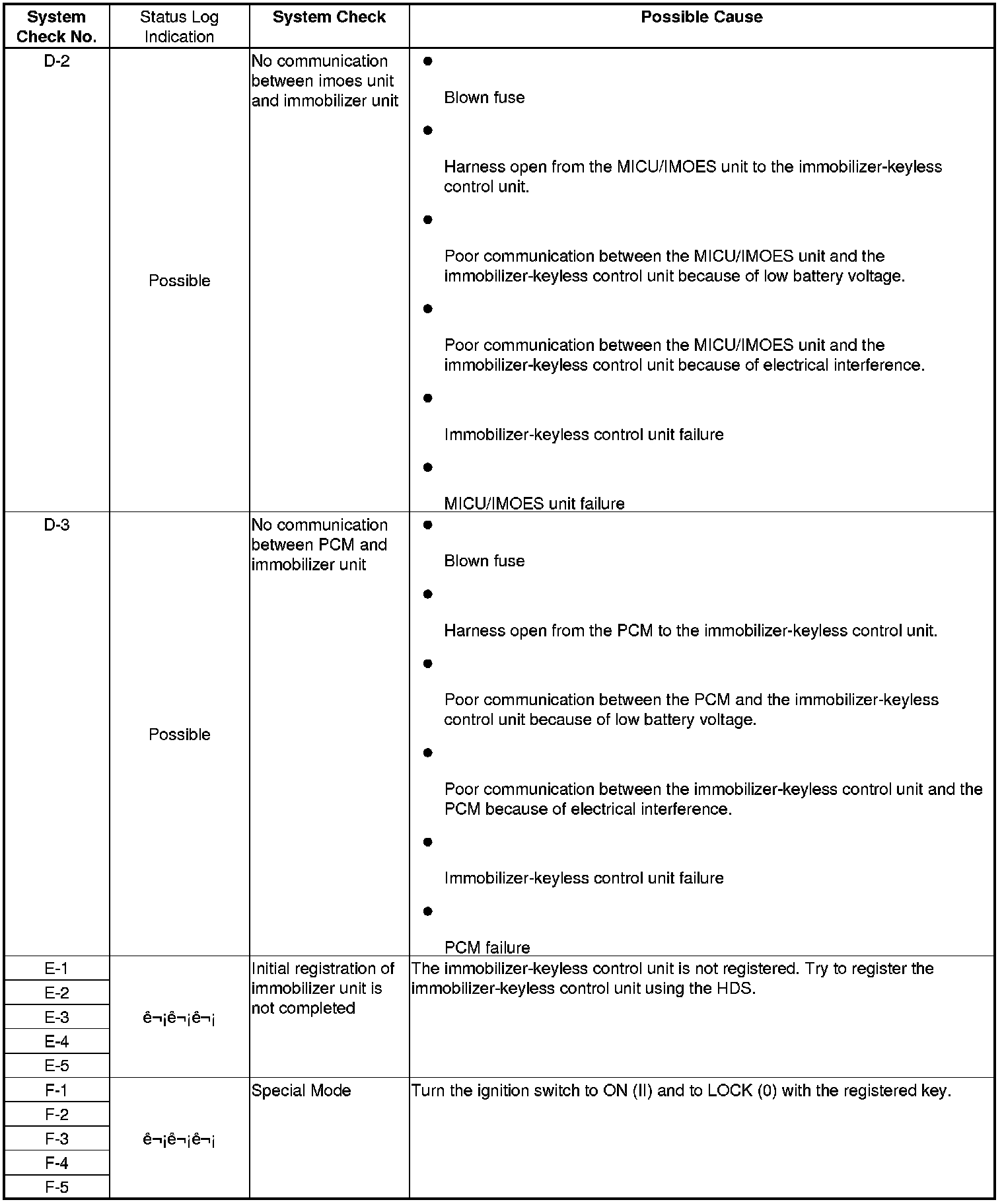
3. On the HDS screen, at SYSTEM SELECTION MENU, enter IMMOBI, then select IMMOBILIZER SET-UP, select SYSTEM CHECK, NUMBER OF KEYS AND STATUS LOG, then select SYSTEM CHECK.
4. If the HDS displays NORMAL N-1, the immobilizer system is OK at this time, refer to the STATUS LOG. If the HDS displays any other messages, check as follows: